Posted on Leave a comment

How AORUS Z890 redefines memory performance with AI: D5 Bionic Corsa

How AORUS Z890 redefines memory performance with AI: D5 Bionic Corsa

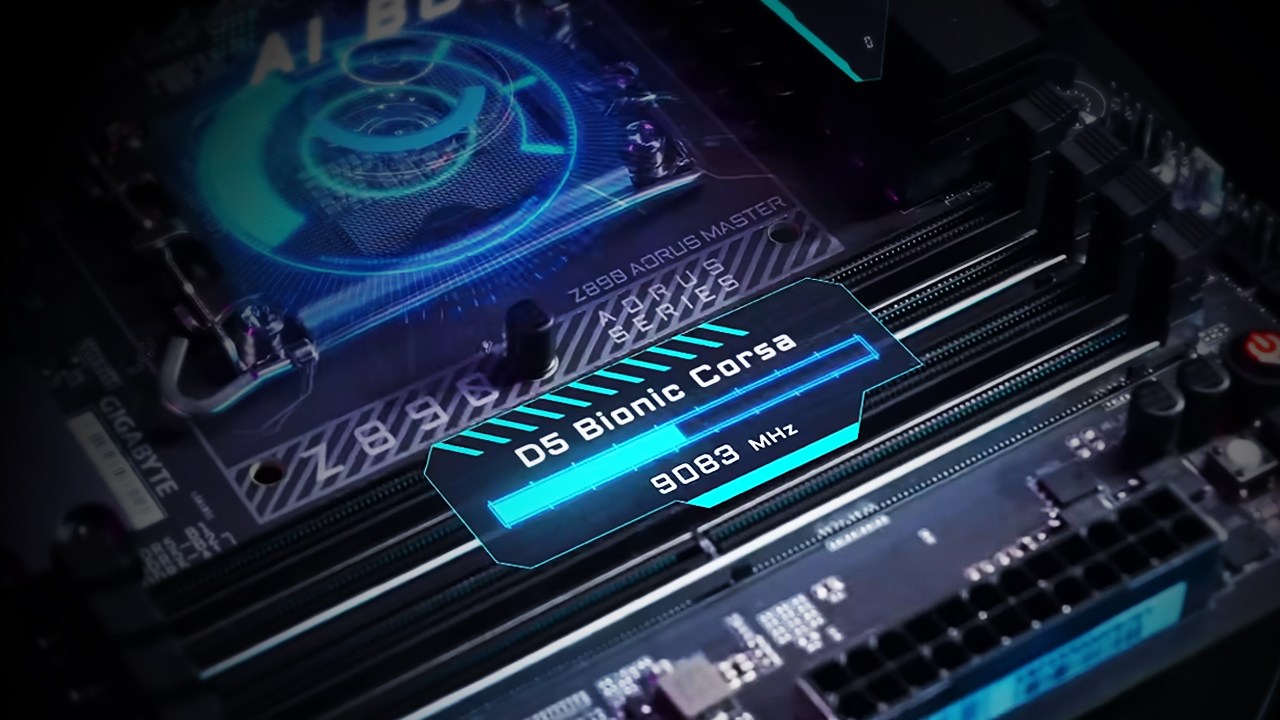
Generative AI is already part of our daily lives, helping us create art, write code, and more. But its potential goes way beyond chatbots and content creation. With the AORUS Z890 series, AI is shaking things up for PC builders and gamers, making overclocking, stability, and performance easier and better than ever. By weaving AI into every aspect of motherboard design—hardware, software, and firmware—our new D5 Bionic Corsa technology delivers reliability and speed like never before for DDR5 memory.


Let’s break it down and see how we leverage AI to take your PC to the next level.


What is D5 Bionic Corsa?


Think of D5 Bionic Corsa as the next big step in GIGABYTE’s DDR5 tech. Building on the success of the Z790 motherboards, this upgraded version of technology incorporates AI to supercharge memory speeds, simplify overclocking, and boost system stability. It’s like having a personal tech genius fine-tuning your system for peak performance.


Intelligent Craftsmanship with AI-driven PCB Design


Think of the PCB (Printed Circuit Board) as the nervous system of your motherboard, connecting the CPU, memory, and every other component. Optimizing these intricate pathways for speed and reliability is no small feat—but that’s where AI comes in.


AI-Optimized Trace Routing

Signals traveling between the CPU and memory modules require carefully designed routes to maintain their strength and integrity. Contrary to intuition, the shortest path isn’t always the best. Enter AI-Trace Optimization, a feature that analyzes signal paths and aligns them with the PCB’s fiberglass weave—a critical factor for signal quality.
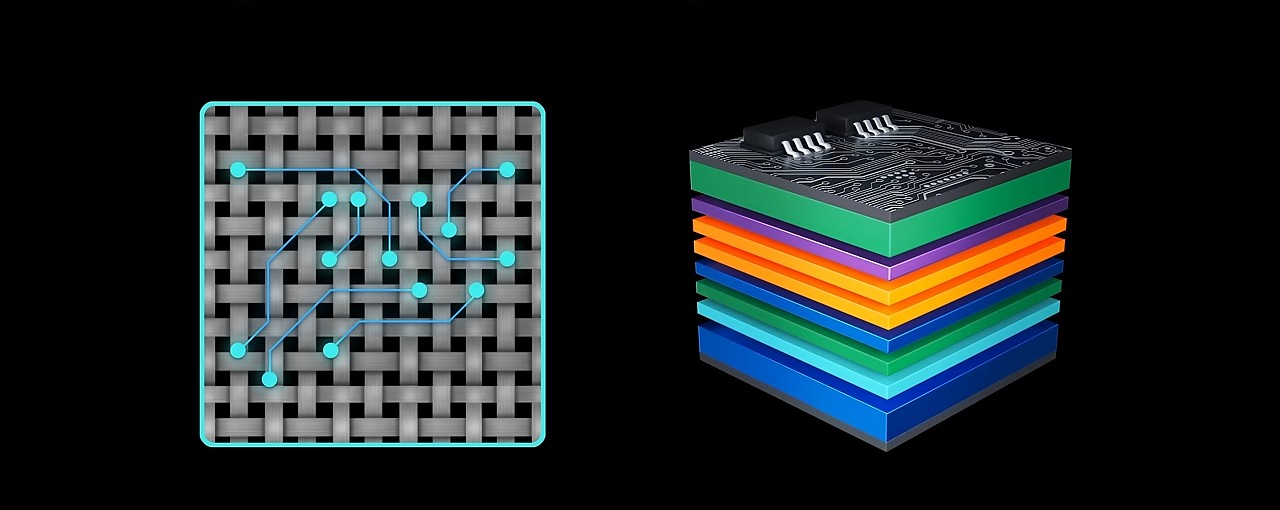


By simulating and fine-tuning hundreds of trace paths, the AI creates an optimized signal highway, ensuring seamless communication between your CPU and memory.


Intelligent Layer Design

A premium motherboard like the AORUS Z890 consists of up to 12 PCB layers, each with a specific function: power delivery, signal routing, or grounding. Traditionally, engineers manually selected the best materials for each layer. With AI-Layer Optimization, this process is automated and enhanced. 
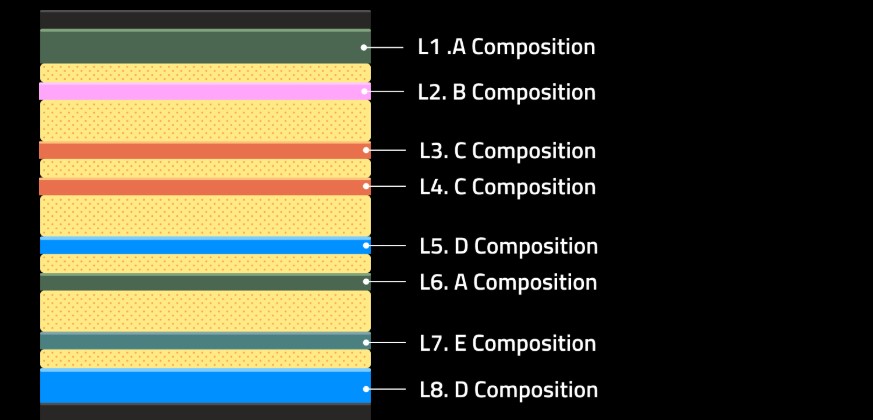


The AI uses advanced simulations to identify ideal material combinations for every layer, creating a fully optimized PCB. The result? Perfect harmony across all layers, pushing signal performance to new heights.


Precision-Engineered VIAs

VIAs are like tiny tunnels connecting the layers of your motherboard. Instead of using one-size-fits-all tunnels, we use AI to customize each one for its job—whether it is for fast data, power, or control. This innovation reduces signal reflection loss by up to an impressive 28%, greatly enhancing both stability and speed.
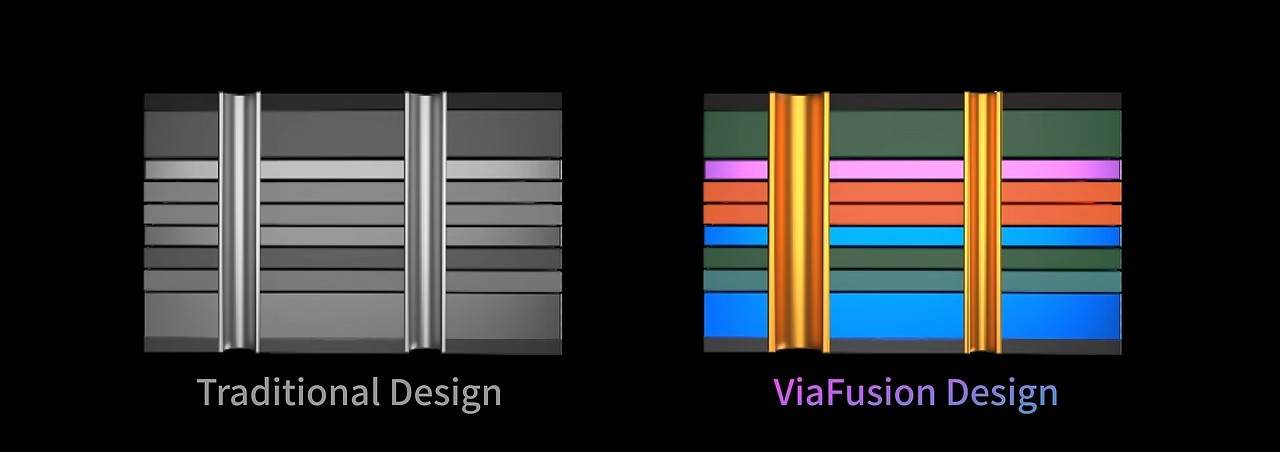


To ensure exceptional memory performance, the AORUS Z890 also incorporates low-loss PCB materials—typically reserved for high-end server hardware. These materials minimize energy dissipation and ensure unparalleled signal quality. By blending server-grade components with AI-driven innovations, we’re breaking boundaries and setting new standards for DDR5 memory, once again!


Overclocking Made Easy with AORUS AI SNATCH


Now that we’ve covered the hardware, let’s talk about software. For many PC builders, overclocking feels like a daunting science experiment. That’s why we developed AORUS AI SNATCH, powered by our AI SNATCH Engine, to make overclocking effortless yet precise—like a falcon snatching its prey.
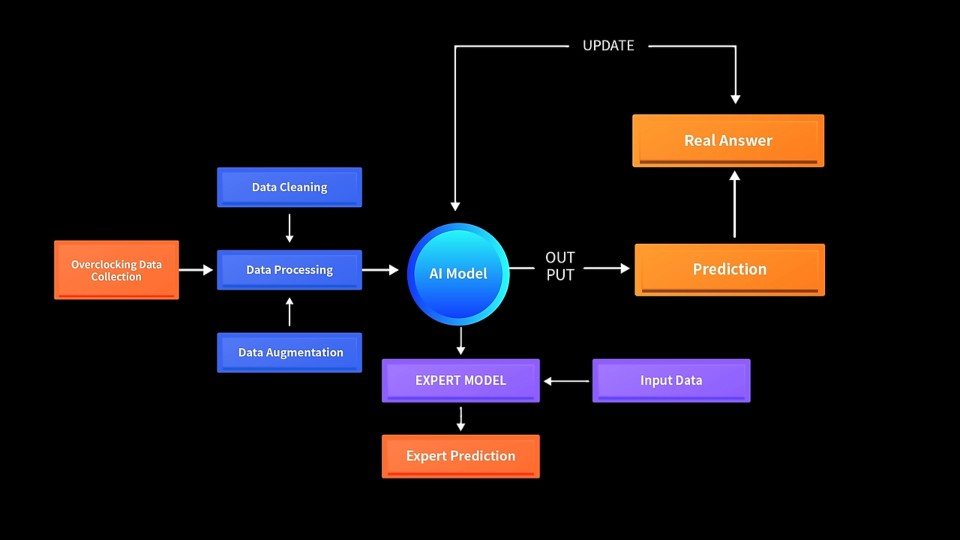


With a single click, AORUS AI SNATCH analyzes your hardware in real time and automatically tunes your memory for peak performance. How does it work? Trained on thousands of memory tests and configurations, the AI SNATCH Engine combines real-world data with expert-tuned adjustments to deliver precise, high-performance results. The outcome? Transform native 6400 MT/s CUDIMM memory into an 8933 MT/s overclocked profile instantly.


HyperTuneBIOS: Smarter, Faster Firmware


With hardware and software covered, there’s one critical component left: BIOS, the bridge where hardware and software meet. The GIGABYTE Z890 introduces HyperTuneBIOS, which uses AI to optimize the Memory Reference Code (MRC) for seamless synchronization between the two.
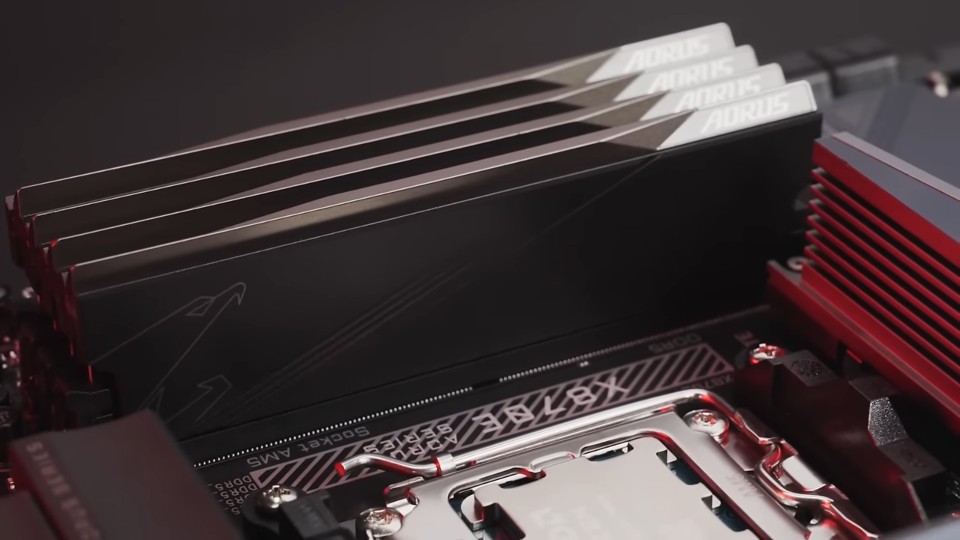


In the past, MRC tuning required painstaking manual adjustments by R&D teams. With HyperTune BIOS, AI identifies the best parameter combinations for your specific motherboard configuration. Engineers then fine-tune these AI-generated settings to achieve maximum performance. This blend of AI precision and GIGABYTE expertise ensures faster and more stable memory performance.


The Winning Trifecta


With D5 Bionic Corsa, the AORUS MASTER shattered the DDR5 speed limit, hitting an incredible 9500+ MT/s with zero errors. Impressive, right? The AORUS Z890 motherboards show that AI isn’t just hype—it’s a game-changing force that’s redefining PC hardware. From intelligent design to effortless overclocking, it’s your key to unlocking peak performance. Explore our lineup today and step into the future of AI-powered innovation!
Posted on Leave a comment

5 GIGABYTE UC BIOS new features you may not know (but will love)

5 GIGABYTE UC BIOS new features you may not know (but will love)

Since its debut with the 600 and 700-series motherboards, GIGABYTE User-centered BIOS (UC BIOS) has been well-received for its sleek interface and user-friendly design. But did you know it’s evolved even further? With the release of the 800-series motherboards, UC BIOS introduces a host of powerful new features that not only enhance performance but also redefine the BIOS tweaking experience. Here are 5 features you might have missed—and will absolutely love.


1) Smarter Settings with AI PerfDrive


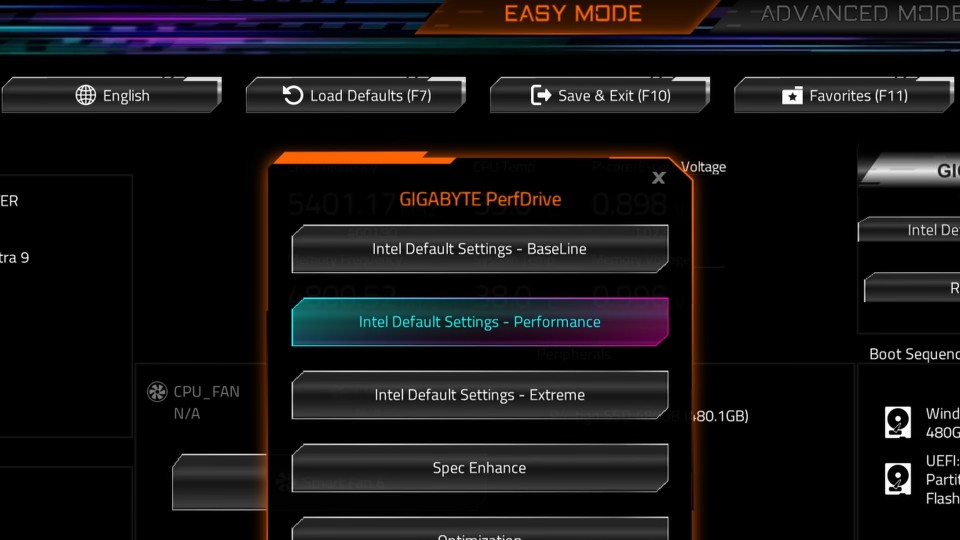
Remember GIGABYTE PerfDrive from the 700 series? It’s been reimagined as AI PerfDrive, a smarter tool that uses intelligent evaluation to recommend the optimal configuration for your system based on its actual thermal performance.


AI PerfDrive analyzes system temperature performance to recommend optimal usage profiles for improved efficiency.


Available on GIGABYTE Z890 series motherboards, AI PerfDrive now includes Intel Default Settings and creates custom profiles tailored to your setup. The standout addition? The “Recommend Me Profile” tool integrates directly into the BIOS. It analyzes your system and suggests the best preset for your configuration. It’s like having a tuning expert built right into your motherboard.


2) More Power Boost with Active OC Tuner & X3D Turbo Mode


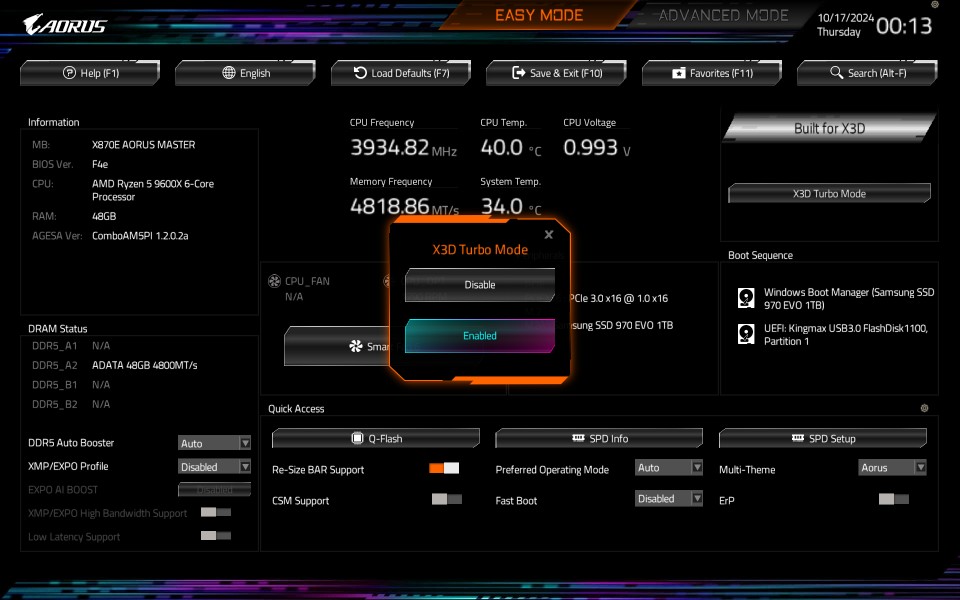
Exclusive to GIGABYTE X870E/X870 motherboards, Active OC Tuner dynamically switches between AMD P.B.O. (Precision Boost Overdrive) and Manual OC modes depending on your workload. This ensures maximum performance, delivering up to a 7% boost. For gaming or light tasks, it utilizes AMD P.B.O. to achieve the highest CPU boost clocks. For heavy workloads, it transitions seamlessly to Manual OC mode for full-core performance.


GIGABYTE X3D Turbo Mode boosts Ryzen 9000X3D gaming performance by up to 35% and Ryzen 9000 by up to 20%
 

Are you currently rocking a Ryzen X3D CPU? Get ready for next-level performance with X3D Turbo Mode. Built into X870E/X870 motherboards, this feature optimizes core distribution, bandwidth, and power balancing, delivering up to an 18% performance gain for Ryzen™ 9000 series processors. Whether you’re gaming, this feature will definitely get you ahead of the curve.


3) A Personalized Look with Multi-Theme BIOS


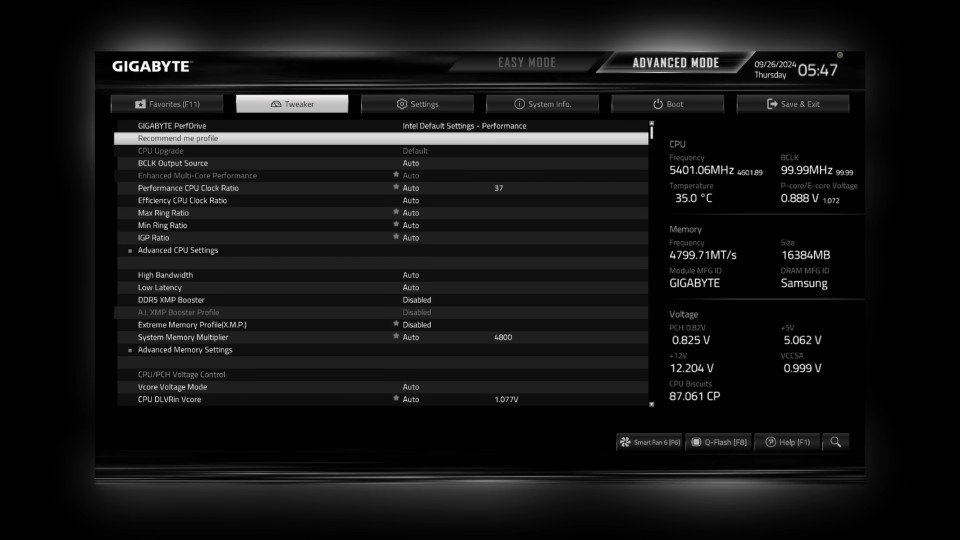
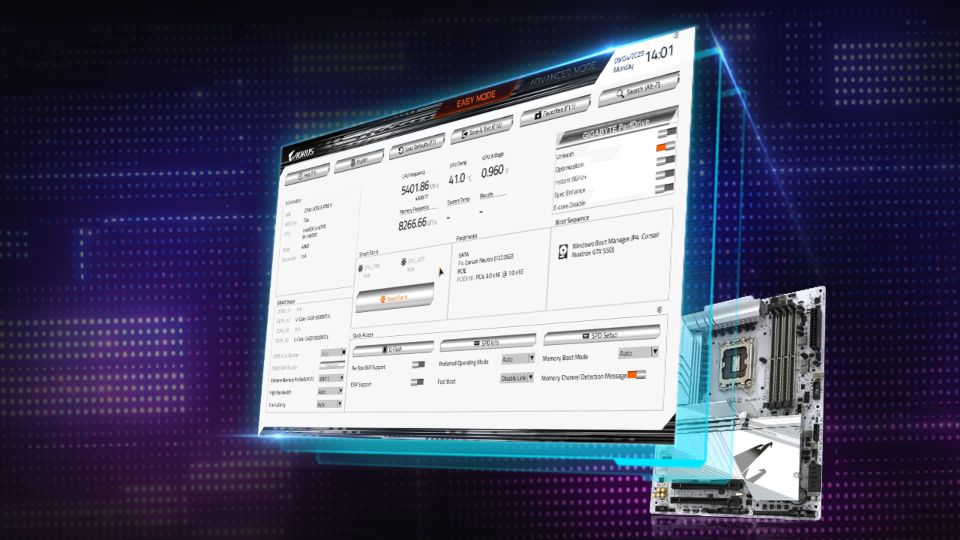
Who says the BIOS interface has to be boring? With the new Multi-Theme Design, you can personalize your BIOS interface to match your aesthetic. Choose from themes like AORUS, AORUS Bright, or the modern and minimalist GrayScale mode.


UC BIOS new grayscale mode provides a clean, distraction-free layout for focused BIOS tuning sessions.
 

The GrayScale mode isn’t just about looks—it’s designed for functionality, offering a clean and distraction-free layout that’s perfect for serious BIOS tuning sessions. This feature brings both style and substance to your BIOS experience.


4) Easier Cooling Management with AIO Fan Control


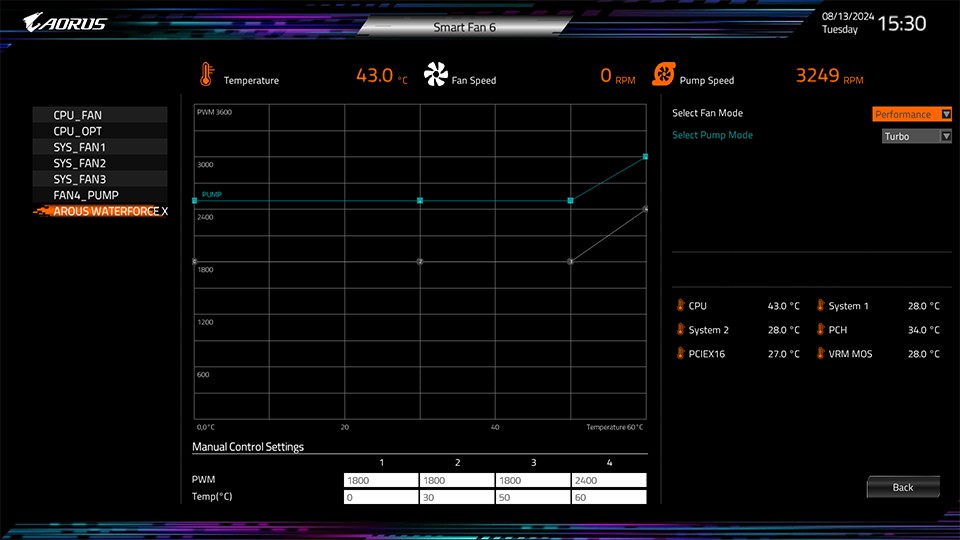
Managing your AORUS AIO CPU cooler’s fan speeds just got a whole lot simpler! The new AIO Fan Control function in UC BIOS lets you adjust fan settings directly from the BIOS, a perfect feature designed for non-Windows users.


AIO Fan Control enables adjustment of AIO fan speeds directly in UC BIOS, ideal for non-Windows users
 

Designed for the AORUS WATERFORCE X II series AIOs, it’s a must-have for anyone putting together an all-AORUS build. Whether you’re going for whisper-quiet operation or chasing peak cooling performance, AIO Fan Control makes fine-tuning your AIO effortless.


5) Get Deeper Insights with HWiNFO Integration


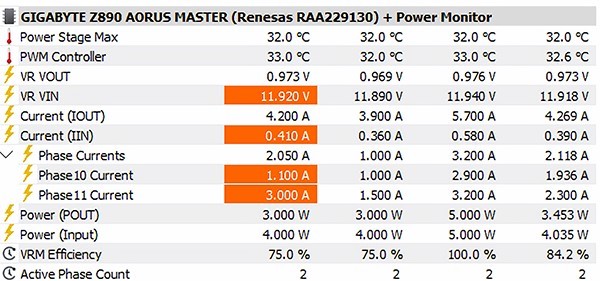
Our partnership with HWiNFO has reached new heights this time around, bringing advanced monitoring features right to your fingertips. The new Power Monitor* provides real-time insights into CPU Vcore power phase outputs and efficiency, allowing you to closely monitor and optimize your system to ensure the long-term health of your hardware.


Exclusive HWiNFO partnership features Power Monitor for real-time CPU Vcore power phase output and efficiency tracking.


With instant access to comprehensive BIOS details—like toggle statuses and version numbers—you no longer need to reboot your system for critical information. This seamless integration gives you unparalleled control and visibility into your system’s performance.


*This feature is available only on GIGABYTE AMD and Intel 800 series motherboards with Intersil, Onsemi, and Infineon power controllers. Check the User Manual for details.


Explore UC BIOS Today


With each generation, GIGABYTE UC BIOS continues to push boundaries, offering innovative features for both performance enthusiasts and everyday users. Dive into your UC BIOS today and unlock your system’s full potential. The power to optimize and elevate your PC experience is just a few clicks away!