Posted on Leave a comment

GIGABYTE B850 vs Z890 Motherboard: AMD or Intel — Which Platform Is Right for You?

When people search “B850 vs Z890 motherboard,” the most important thing to clarify first is this: these are not competing options within the same platform. B850 is AMD’s mid-to-high-end chipset for Ryzen 9000 series processors on the AM5 socket. Z890 is Intel’s flagship chipset for Core Ultra Series 2 processors on the LGA1851 socket. Choosing between them means choosing between AMD and Intel entirely.

This comparison helps you understand which platform — and which GIGABYTE lineup — makes the most sense for your specific needs in 2025.


Platform Overview

GIGABYTE B850 (AMD)GIGABYTE Z890 (Intel)
SocketAM5LGA1851
CPU PlatformAMD Ryzen 9000 SeriesIntel Core Ultra Series 2
DDR5 SupportYes (up to 8200 MHz OC)Yes (up to 9500 MHz OC)
PCIe 5.0Yes (1x M.2 + GPU slot)Yes (more lanes available)
Wi-Fi 7Yes (AORUS Elite variant)Yes
OverclockingMemory only (B850)Full CPU + Memory (Z890)
AM5 LongevityAMD committed through 2027+LGA1851 current gen
Starting PriceLowerHigher

Key Difference 1: CPU Overclocking

This is the most significant functional difference between the two chipsets. Intel’s Z890 supports full unlocked CPU overclocking — you can push Core Ultra 200S processors beyond their base boost limits using the Z890’s robust VRM configurations and BIOS overclocking controls.

AMD’s B850 chipset does not support CPU overclocking for Ryzen 9000 processors. You can overclock memory (DDR5 via EXPO), but CPU frequency management is handled by AMD’s Precision Boost algorithm automatically. If you want CPU overclocking on AMD, you need the X870E chipset.

Verdict: Z890 wins for CPU overclockers. B850 is fine for gamers who let AMD’s auto-boost do its job.

Key Difference 2: PCIe Lane Allocation

Intel Z890 provides more total PCIe 5.0 bandwidth from the chipset, giving you more M.2 Gen 5 slots and more flexibility for high-speed storage configurations. GIGABYTE’s Z890 AORUS Elite WiFi7 ships with four M.2 slots, including PCIe 5.0 for the primary slot.

The GIGABYTE B850 AORUS Elite WiFi7 offers three M.2 slots with one PCIe 5.0 slot. For most users, three M.2 slots is more than sufficient — but if you are building a storage-intensive workstation, Intel’s Z890 offers more room to expand.

Key Difference 3: Platform Longevity

AMD has publicly committed to AM5 socket support through at least 2027, with future Ryzen generations confirmed for the platform. This means a B850 motherboard purchased today will accept next-generation AMD processors without requiring a board swap.

Intel’s LGA1851 platform is newer and the roadmap beyond Core Ultra Series 2 is less publicly confirmed. Historically, Intel has shorter platform support windows than AMD, though this varies by product generation.

Verdict: AMD B850 wins for platform longevity and upgrade path value.

Key Difference 4: Gaming Performance

In pure gaming benchmarks, Core Ultra 200S and Ryzen 9000 trade blows depending on the title. At 1080p and 1440p, the differences between a Ryzen 9 9900X on B850 and a Core Ultra 9 285K on Z890 are generally within a few percentage points either way. The GPU, not the CPU platform, dominates gaming frame rates at these resolutions.

For gaming-only builds, platform choice matters less than budget allocation. Spending less on the motherboard (B850 vs Z890) and putting that savings toward a better GPU almost always produces a bigger gaming performance gain.

Key Difference 5: Price

GIGABYTE B850 AORUS motherboards are priced lower than their Z890 AORUS equivalents at every tier. The B850 AORUS Elite WiFi7 comes in below the Z890 AORUS Elite WiFi7, offering nearly the same feature set for AMD Ryzen users at a reduced cost.

For budget-conscious builders, the B850 platform allows you to keep a capable AORUS feature set while saving money that can go toward storage, memory, or GPU upgrades.


Which GIGABYTE Motherboard Should You Choose?

Choose GIGABYTE B850 (AMD AM5) if:

  • You are pairing with AMD Ryzen 9000 series or plan to upgrade to future AM5 CPUs
  • Platform longevity and future CPU compatibility matter to you
  • You want strong DDR5 performance without paying the Intel Z890 premium
  • Gaming is your primary use case and CPU overclocking is not a priority

Choose GIGABYTE Z890 (Intel LGA1851) if:

  • You are pairing with Core Ultra 200S and want full CPU overclocking capability
  • You need maximum PCIe lanes for professional storage or multi-GPU configurations
  • You want the highest DDR5 memory overclocking headroom (up to 9500 MHz)
  • You are building a content creation or AI inference workstation

Both platforms are available at TS Sales Tech with full GIGABYTE warranty coverage. Speak to our team to confirm which CPU you are pairing with — that single decision determines which board lineup is right for your build.
Posted on Leave a comment

GIGABYTE RTX 5070 vs RTX 5080: Which GPU Is Worth Buying in 2025?

NVIDIA’s RTX 50 Series Blackwell GPUs have reset the performance bar for PC gaming in 2025. Two cards generate the most debate among buyers: the RTX 5070 and the RTX 5080. One costs significantly less. The other performs significantly more. But the gap between them is more nuanced than a spec sheet reveals.

Here is a complete, no-nonsense breakdown of RTX 5070 vs RTX 5080 to help you decide which card makes sense for your resolution target, budget, and use case.


Specs Comparison: RTX 5070 vs RTX 5080

SpecificationRTX 5070RTX 5080
ArchitectureBlackwell (GB205)Blackwell (GB203)
CUDA Cores6,14410,752
VRAM12 GB GDDR716 GB GDDR7
Memory BandwidthHighHigher
TDP~250W~360W
MSRP$549$999
DLSS VersionDLSS 4DLSS 4
Ray Tracing CoresGen 4Gen 4 (+75%)

Gaming Performance: The Real Numbers

At 1440p, the RTX 5070 is a genuinely outstanding card. It delivers high-refresh-rate gaming in virtually every major title and handles modern workloads well. The RTX 5080 leads at this resolution, but the gap narrows — in many titles, the performance difference falls below 15%, making the price premium harder to justify.

At 4K, the RTX 5080 asserts itself clearly. Across a broad range of games, the RTX 5080 delivers roughly 17–20% more performance than the RTX 5070 at 4K. For demanding titles with ray tracing enabled at maximum settings, the 5080’s additional CUDA cores and VRAM headroom create a more comfortable experience.

With DLSS 4 Frame Generation, both cards benefit from NVIDIA’s multi-frame generation technology, which can multiply perceived frame rates dramatically. This partially narrows the real-world gap between them for display output, though native rasterization still favors the 5080.


VRAM: Does 12 GB vs 16 GB Matter?

For gaming in 2025, 12 GB of GDDR7 on the RTX 5070 is sufficient for nearly all titles at 1440p. At 4K with maximum texture settings in the most demanding games, 16 GB starts to offer a measurable advantage in frame time consistency.

For creative workloads — video editing, 3D rendering, AI inference locally — 16 GB provides meaningfully more working room, especially with large models or high-resolution assets.

If your primary use is gaming, 12 GB is fine now. If you are future-proofing a workstation or gaming at 4K natively for several years, 16 GB is the safer call.


Power Consumption and System Requirements

The RTX 5080 draws significantly more power — around 360W TDP versus the 5070’s approximately 250W. This has real implications for your build:

  • An 850W power supply handles the RTX 5070 comfortably in most system configurations
  • The RTX 5080 benefits from a 1000W PSU or higher, especially paired with a high-TDP CPU
  • Case airflow requirements are higher for the 5080 due to heat output

If your current case and PSU are not rated for the 5080, factor in those upgrade costs when comparing the true price gap.


Price vs Performance: The Honest Take

The RTX 5080 costs roughly 82% more than the RTX 5070 at MSRP ($999 vs $549). It delivers approximately 20–38% more performance depending on the benchmark and resolution. By any value-per-dollar metric, the RTX 5070 wins decisively.

That said, value metrics do not tell the whole story. If you are gaming at 4K on a high-refresh monitor and want consistent frame delivery without relying entirely on frame generation, the RTX 5080 justifies its price premium. If you are at 1440p, even a maximum-settings build, the RTX 5070 is the rational choice.


GIGABYTE AORUS Versions: Which Card to Get

GIGABYTE produces the RTX 5070 and RTX 5080 under both the AORUS and EAGLE branding. The AORUS Master and AORUS Xtreme variants add larger triple-fan coolers, factory overclocking, and extended heatsink coverage for sustained load performance. For the RTX 5080 specifically, the AORUS cooling design matters — it is a power-hungry chip and thermal headroom translates directly into boost clock stability.


Verdict: RTX 5070 vs RTX 5080

Use CaseRecommendation
1080p or 1440p gamingRTX 5070
4K gaming, maximum settingsRTX 5080
Budget-conscious enthusiastRTX 5070
Content creation / AI workloadsRTX 5080 (16 GB VRAM)
Maximum future-proofingRTX 5080

For most gamers in Thailand building or upgrading a system in 2025, the RTX 5070 delivers the better value. The RTX 5080 is the right card for buyers who game at 4K natively, use their system for professional creative work, or simply want the best GIGABYTE has to offer without compromise.

Both are available through TS Sales Tech. Contact us for current stock and pricing on the full GIGABYTE RTX 50 Series lineup.

Posted on Leave a comment

GIGABYTE AORUS vs ASUS ROG Motherboard: Which Should You Buy in 2025?

If you are building a new PC on Intel’s LGA1851 platform, two brands dominate the conversation: GIGABYTE AORUS and ASUS ROG. Both offer premium Z890 motherboards targeting gamers and enthusiast builders. But they take different approaches — and choosing the wrong one for your use case can cost you either money or performance.

This guide breaks down every key difference between AORUS and ROG Z890 motherboards so you can make the right call.

The Brands at a Glance

GIGABYTE AORUS is GIGABYTE’s enthusiast gaming sub-brand, known for aggressive thermal design, strong VRM configurations, and competitive pricing within the premium segment. The AORUS lineup runs from the accessible Elite WiFi7 all the way to the flagship AORUS Master and the extreme-tier Z890 AI TOP.

ASUS ROG (Republic of Gamers) is arguably the most recognized gaming motherboard brand globally. ROG boards are known for their aggressive styling, extensive software ecosystem (Armoury Crate), and premium build quality. The Z890 ROG lineup spans the ROG Strix series up through the ROG Maximus Extreme.


Head-to-Head: Z890 AORUS Master vs ROG Strix Z890-F

FeatureGIGABYTE AORUS Z890 MasterASUS ROG Strix Z890-F Gaming WiFi
SocketLGA1851LGA1851
ChipsetIntel Z890Intel Z890
Form FactorATXATX
VRM Phases20+1+218+1+2
Max DDR5 Speed (OC)9500 MHz8800 MHz
M.2 Slots54
PCIe x16 Slots32
Wi-FiWi-Fi 7Wi-Fi 7
Thunderbolt 4YesYes
USB 3.2 Gen 2×2YesYes
Price RangeMid-HighMid-High

VRM and Overclocking

For serious CPU overclocking with Core Ultra 200S processors, VRM quality matters more than almost any other spec. The AORUS Master runs a 20+1+2 phase configuration with 80A power stages — giving it substantial headroom for sustained overclocking under load.

The ROG Strix Z890-F runs 18 phases, which is still excellent for mainstream overclocking. Where ASUS tends to have an edge is BIOS polish. ROG’s UEFI interface is widely considered among the most refined in the industry, with granular memory tuning options that experienced overclockers appreciate.

Winner for overclocking: Slight edge to AORUS on raw VRM phases; slight edge to ROG on BIOS tooling.

Memory Performance

This is an area where AORUS pulls ahead clearly. GIGABYTE’s AORUS Z890 boards support DDR5 overclocking up to 9500 MHz, outpacing most ROG Strix equivalents which top out around 8800 MHz on official support. If you plan to run high-speed EXPO or XMP memory kits, AORUS has the broader compatibility window.

Software and Ecosystem

ASUS ships all ROG boards with Armoury Crate — a unified dashboard for monitoring, RGB control, fan curves, and performance tuning. It is well-developed but also resource-heavy and has a history of background process bloat.

GIGABYTE counters with its Control Center software and the newer AI-integrated UC BIOS. GIGABYTE’s Control Center is lighter and more focused, though it covers less ground than Armoury Crate overall.

Winner for software: ASUS ROG for breadth; GIGABYTE for lightweight operation.

Build Quality and Aesthetics

Both brands use reinforced PCIe slots, EZ-release mechanisms for GPU removal, and tool-free M.2 heatsink designs on their 2025 Z890 boards. AORUS leans into a dark angular aesthetic with subtle RGB accents. ROG boards are bolder, with more visible RGB and the signature ROG Eye branding.

For builders who prioritize looks, this comes down to personal preference. For those who want the thermals to back up the looks, AORUS’s physical heatsink coverage on the Z890 Master is notably extensive.

Price and Value

At comparable feature levels, AORUS motherboards typically come in at a slightly lower price than their ROG equivalents. The Z890 AORUS Elite WiFi7, for example, offers most of the features a mainstream enthusiast needs at a price point that undercuts similarly specified ROG Strix models.

If budget optimization matters, AORUS delivers more specification per dollar at every tier. If you value the ROG brand ecosystem and software maturity, the ROG premium is justifiable.


Verdict: AORUS vs ROG — Which Should You Choose?

Choose GIGABYTE AORUS if:

  • You want maximum VRM phases and DDR5 headroom for your budget
  • You prefer a cleaner, lighter software experience
  • You are building a cost-optimized enthusiast system

Choose ASUS ROG if:

  • You are deep in the ASUS ecosystem (GPU, monitor, peripherals) and want unified software control
  • You value BIOS refinement and advanced memory tuning
  • Aesthetics and brand recognition matter to you

Both brands make excellent Z890 motherboards. The AORUS lineup available at TS Sales Tech gives you factory-backed warranty support and local availability — visit the store to see current stock and pricing on the full GIGABYTE AORUS Z890 range.

Posted on Leave a comment

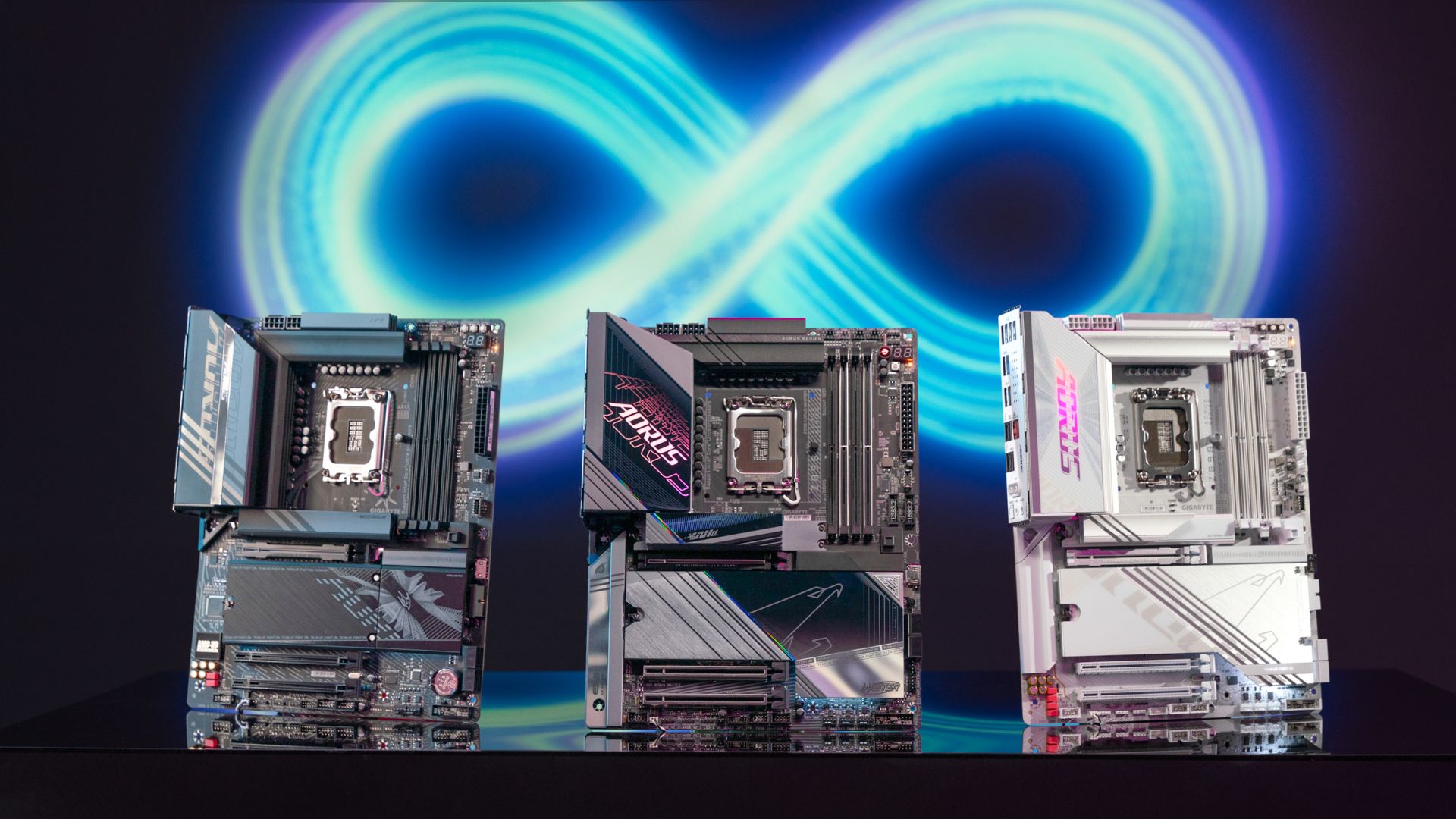
GIGABYTE AORUS Z890 motherboard guide: trailblazing power, DIY simplicity, and next-gen AI innovation

GIGABYTE AORUS Z890 motherboard guide: trailblazing power, DIY simplicity, and next-gen AI innovation

The arrival of the second generation of Intel Core Ultra processors marks a thrilling new chapter for gamers and PC builders alike. Paired with the cutting-edge Z890 motherboards, the dynamic duo is ready to elevate your rig to unprecedented levels of performance. Whether you are chasing ultra-high frame rates, silky-smooth streams, or seamless AI workflows, this platform guarantees unmatched versatility and power.


In this guide, we’ll dive into the AORUS Z890 lineup, showcasing groundbreaking GIGABYTE innovations designed to empower gamers, creators, and PC enthusiasts. From the legendary AORUS XTREME to the dependable AORUS ELITE, there’s a board for every build and every ambition. Let’s get started!


Unleashing the New Power Core


The newly released Intel Core Ultra Series 2 desktop processors are here to be the foundation of your next dream build. With up to 24 cores, an NPU integration, and a new P-core and E-core architecture, these CPUs bring jaw-dropping clock speeds and efficiency to every task. 


Partnered with the Z890 chipset, this platform unleashes the full potential of not only the CPU but also DDR5 memory and PCIe Gen 5 devices, making lag and bottlenecks a thing of the past. Simply put, this combo delivers.


Built-In Brilliance: What Every AORUS Z890 Delivers


Before diving into the next-gen innovations, let’s establish a solid base. Here’s a list of must-have features that come standard on every AORUS Z890 board, no matter which model you choose. These non-negotiable elements ensure you’re starting with a platform delivering exceptional performance and reliability:


1. PCIe 5.0 x16 Slot with PCIe EZ-Latch Plus – Seamless GPU installation and compatibility with the latest graphics cards.

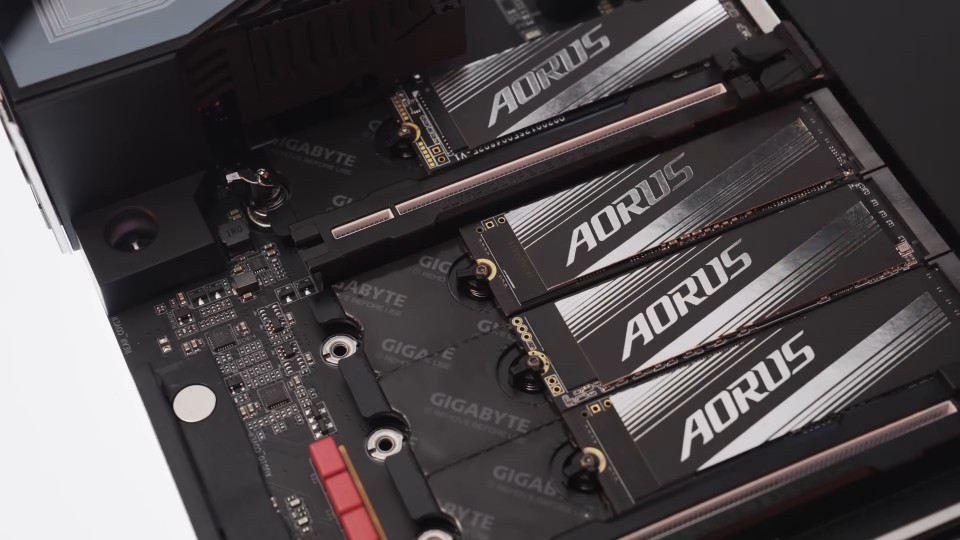
2. PCIe 5.0 M.2 SSD with M.2 EZ-Latch Plus – Easy access for your blazing-fast storage solutions.

3. At Least 4 PCIe M.2 Slots – Expand your storage potential without compromise.

4. THUNDERBOLT Type-C with DP-Alt, DisplayPort – Versatile, high-speed connectivity for peripherals & displays.

5. Wi-Fi 7 with Directional Ultra-High Gain Antenna & WIFI EZ-Plug – Lightning-fast wireless networking with simplified setup.

6. Integrated I/O Shield with Vent Design – Ensure streamlined installation and enhanced airflow.

7. UltraDurable Connectors – Built for longevity and reliability.


These baseline specs provide a solid starting point for any PC build, ensuring that every AORUS Z890 motherboard delivers excellence right out of the box.


Packed with Game-Changing Tech


The AORUS Z890 motherboards are engineered to maximize the capabilities of next-gen CPUs, packed with exclusive features to enhance every aspect of your PC experience.


True AI: D5 Bionic Corsa


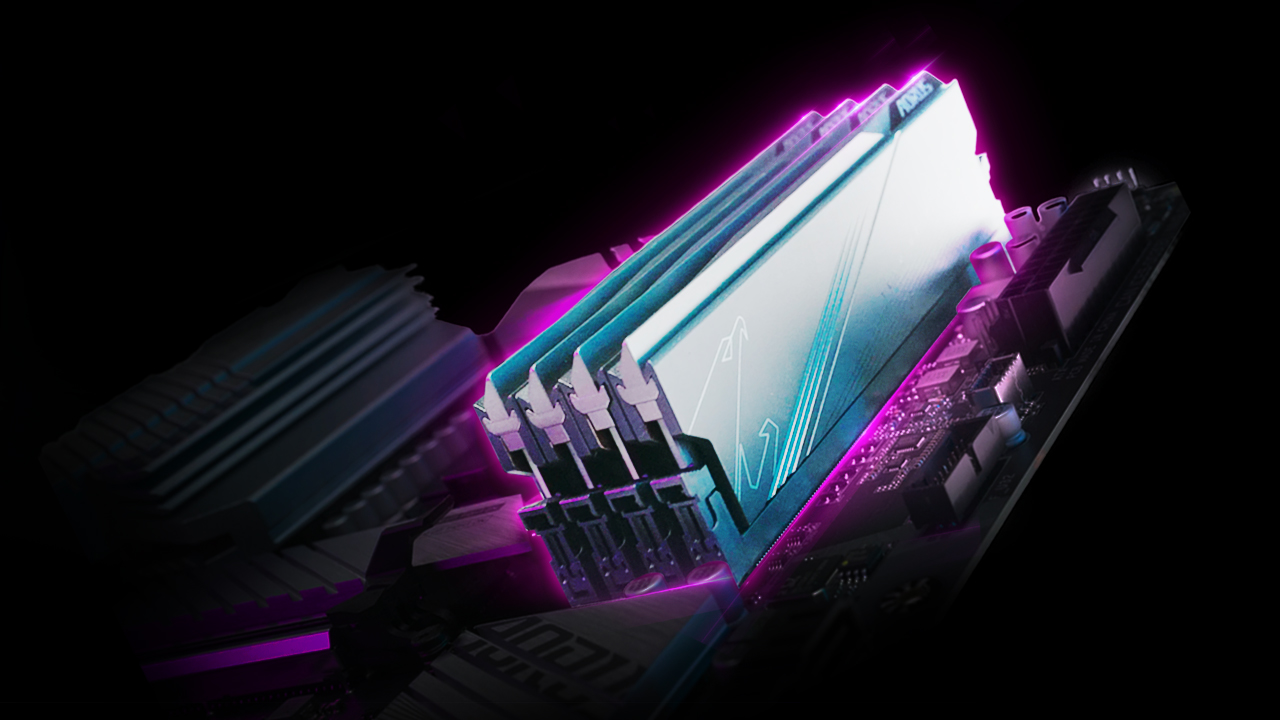
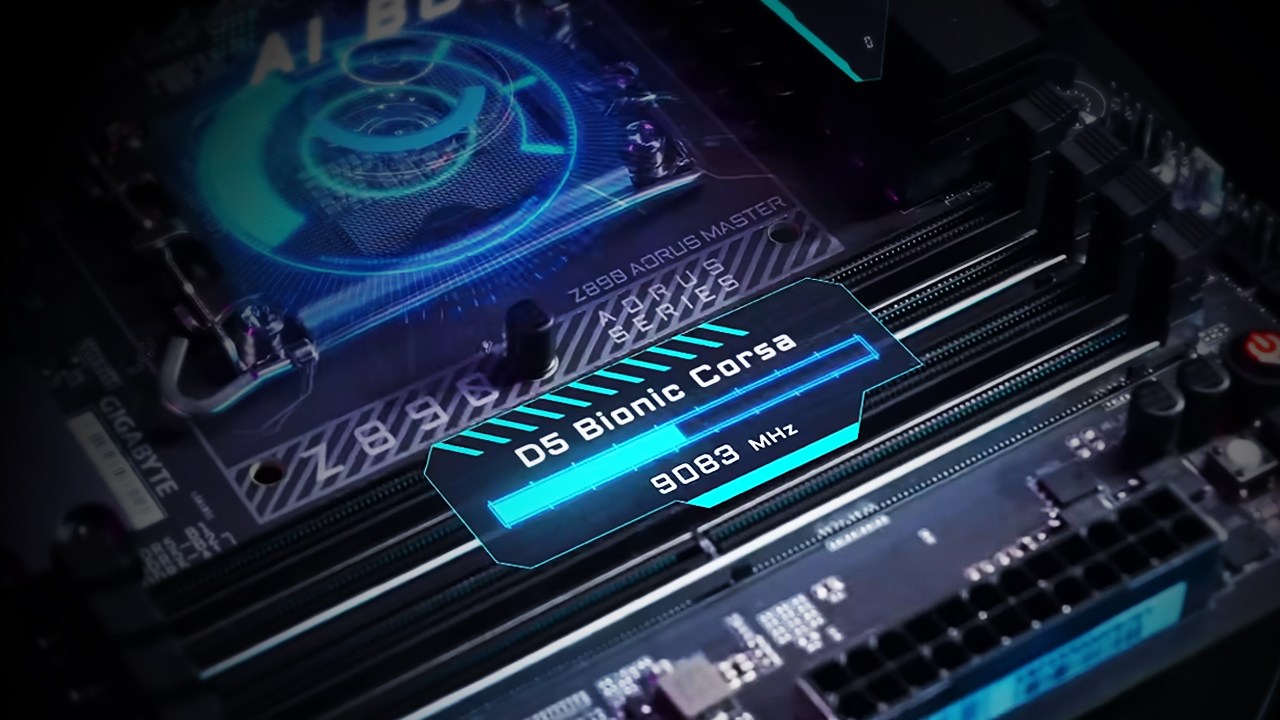
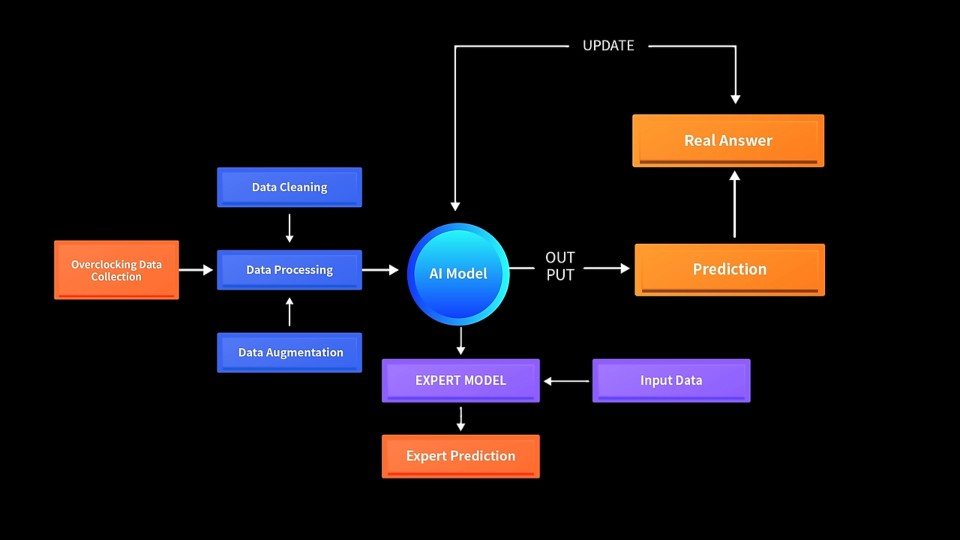
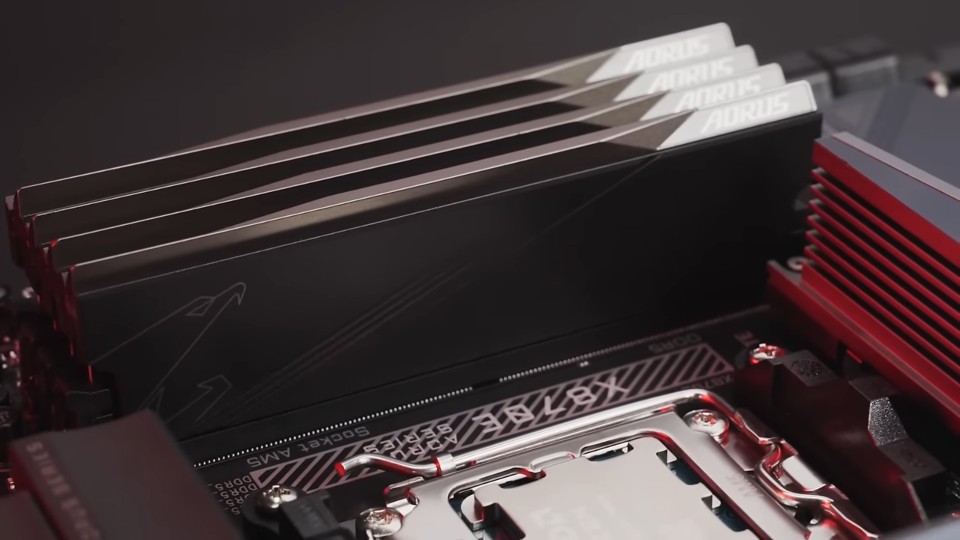
Our D5 Bionic Corsa technology revolutionizes DDR5 overclocking with AI-driven enhancements. Through the AI Snatch feature, users can achieve peak memory performance with ease. We also utilize AI tools for hardware and firmware development, including AI-driven PCB design and Hypertune BIOS. Altogether, this cutting-edge technology allows the AORUS Z890 4-DIMM model to reach a stunning DDR5 speed of 9500 MT/s.


Cool Under Pressure: Advanced Thermal Design


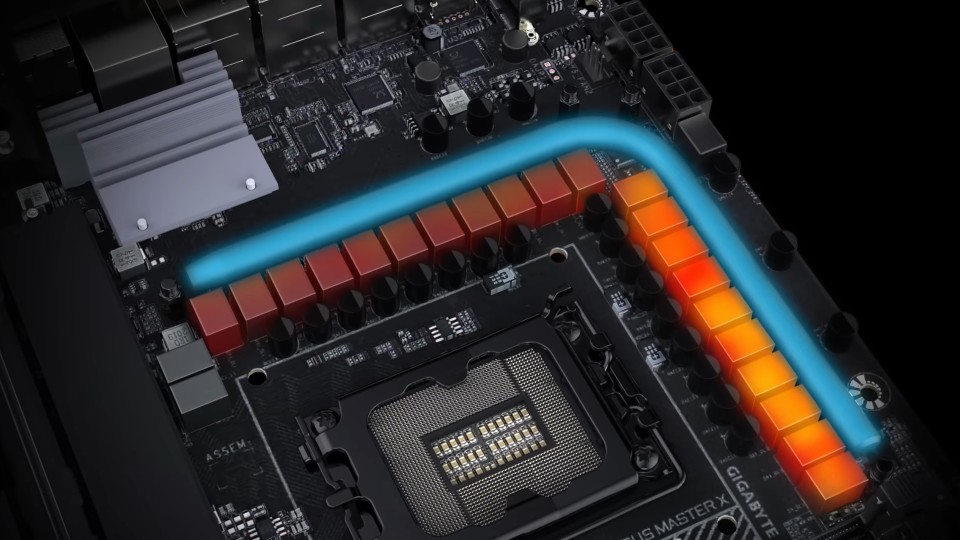
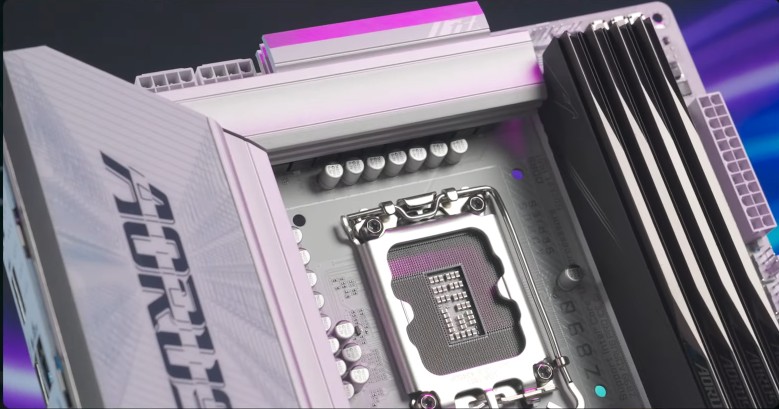
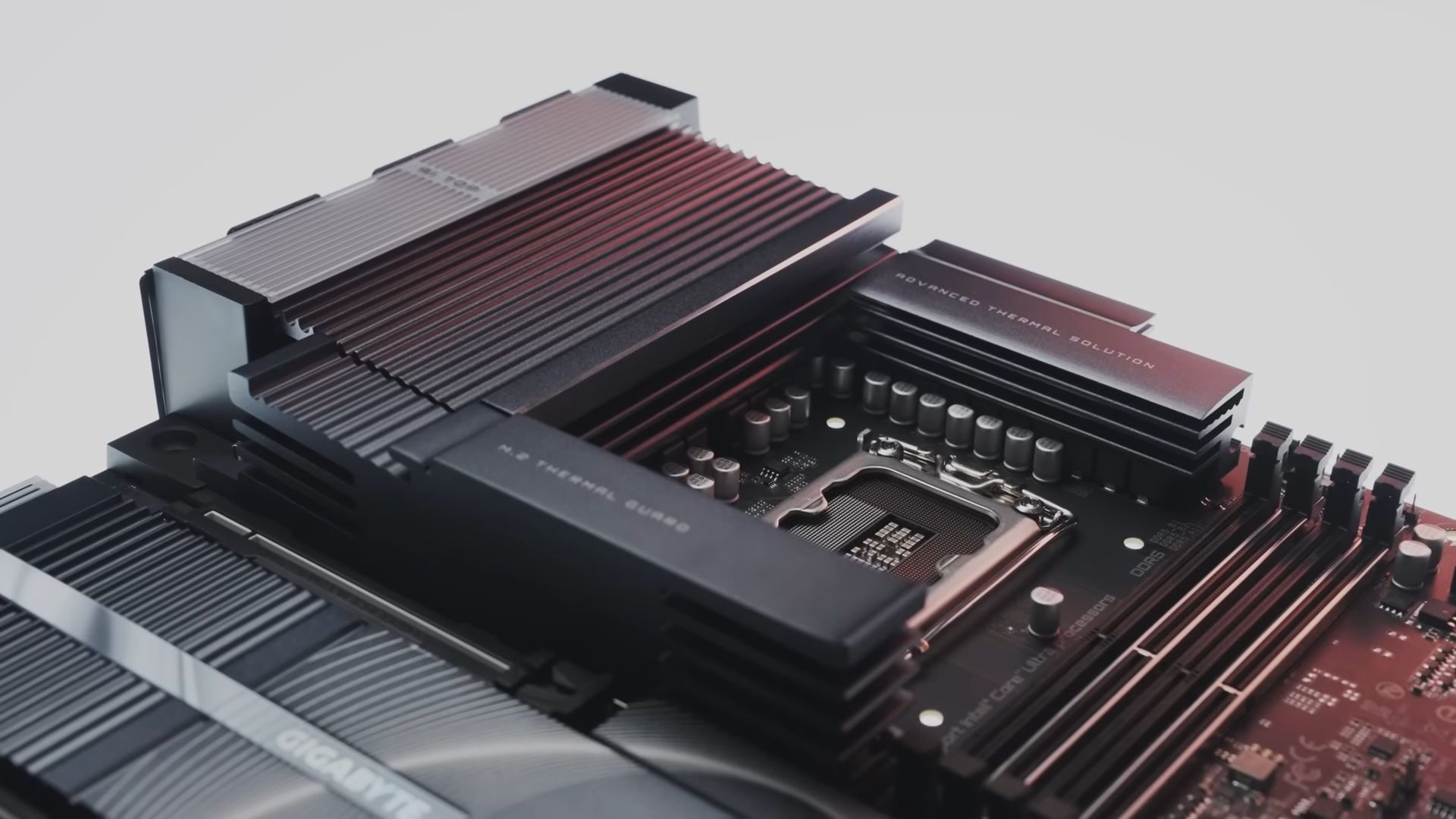
Performance means nothing without efficient cooling, and GIGABYTE addresses this with innovative thermal solutions. With the new Intel Core Ultra CPUs moving the main power input to the top of the CPU, we’ve implemented a board-wide heatpipe design to maintain balanced temperatures across heatsinks.


Additionally, our optimized PWM firmware reallocates current to prevent excessive heat buildup. Select models feature the DDR Wind Blade, which stabilizes RAM temperatures when pushing DDR5 memory beyond 9000 MT/s.


Built for Builders: DIY-Friendly Innovation


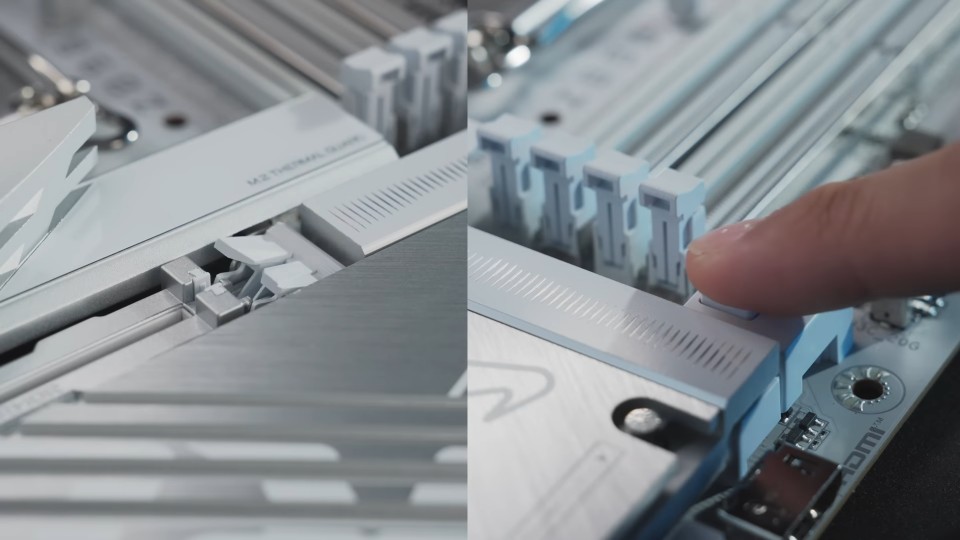
Building your PC shouldn’t feel overwhelming. Our DIY-friendly features simplify the process, starting with the Wi-Fi EZ-Plug, which eliminates the hassle of twisting SMA connectors. Every AORUS Z890 board includes PCIe EZ-Latch Plus for easy GPU swaps, as well as M.2 EZ-Latch Plus and M.2 EZ-Latch Click for effortless storage upgrades. 


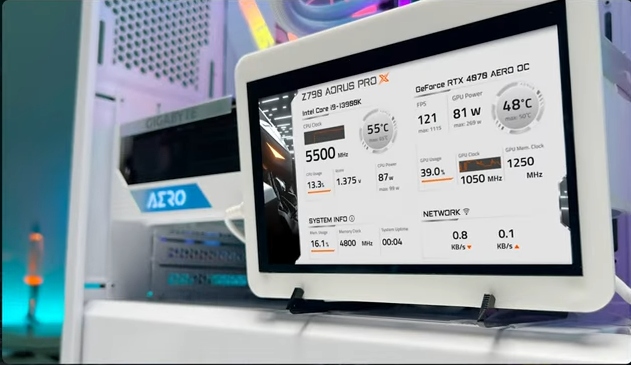
Our Sensor Panel Link provides an internal HDMI or Type-C connector, allowing you to integrate an extra display directly into your rig without hideous cable routing. All in all, we’ve thought of every detail, so you can focus on creating your dream build.


Unstoppable Connectivity for the Future


The Z890 lineup isn’t just about raw power; it’s about future-proofing your system. Top-tier AORUS models offer up to 20 PCIe 5.0 lanes, supporting next-gen GPUs and lightning-fast NVMe SSDs in tandem. 


All AORUS Z890 boards come equipped with Thunderbolt 4 and Wi-Fi 7 for ultra-low latency, fast downloads, and seamless streaming. The pinnacle AI TOP variant takes connectivity to new heights with ultrahigh-speed Thunderbolt 5, enabling insanely fast data transfer.


Tailor Your Build with UC BIOS


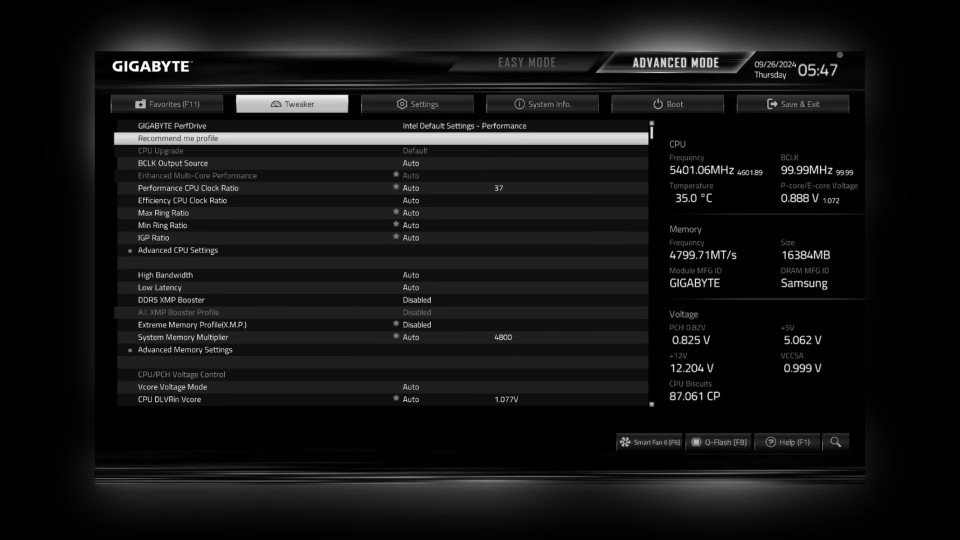
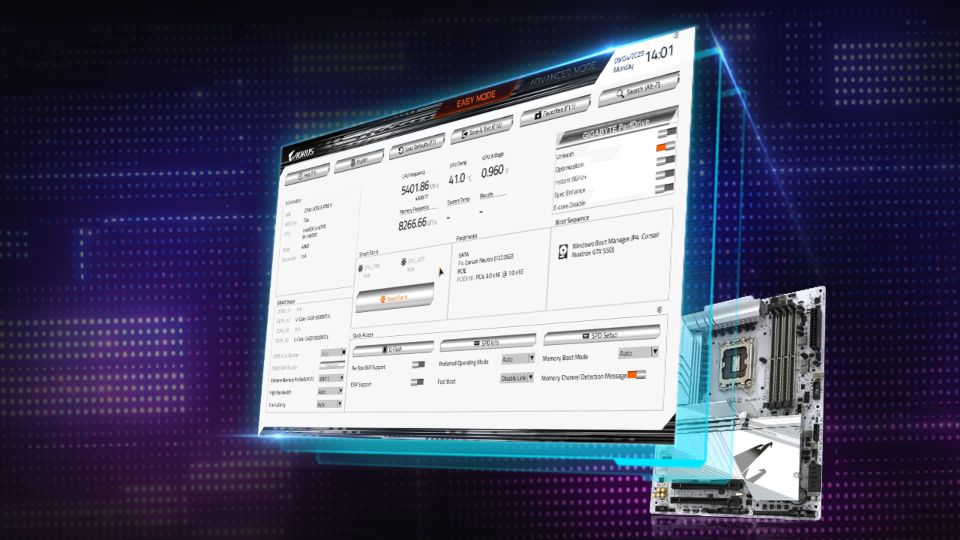
Our UC BIOS offers standout features, including an AI-enhanced PerfDrive that recommends optimal settings based on your system’s thermal performance. You can choose from preset or custom profiles, tailored to your specific setup.


And for those who like their BIOS experience just right, multi-BIOS themes let you switch between designs, such as a clean, grayscale mode perfect for serious BIOS tuning sessions.


Meet the AORUS Family


No matter what your build goals are, there’s an AORUS Z890 motherboard for you:


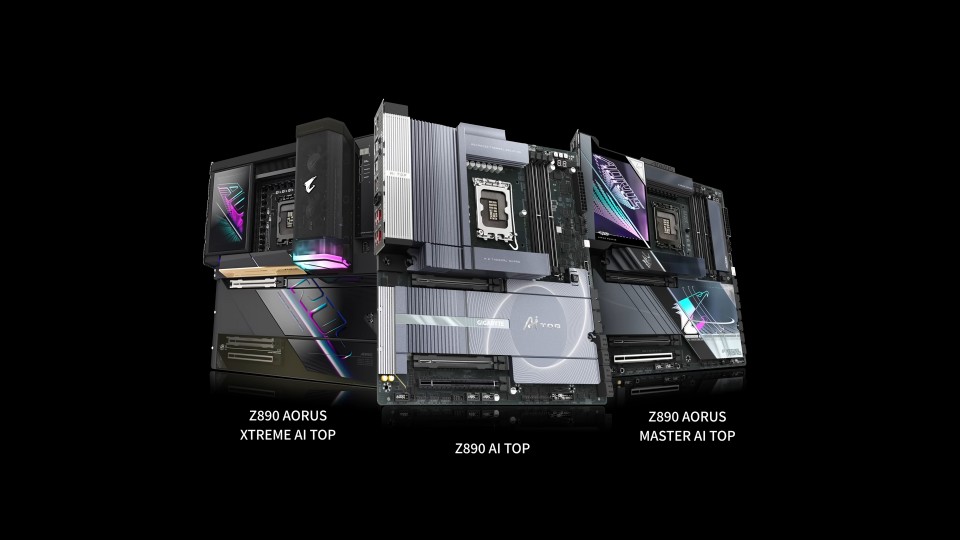
AORUS XTREME AI TOP: For those who demand the absolute best, the XTREME goes all out with the latest and greatest innovation GIGABYTE has to offer, coupled with powerful AI computing capabilities. It also supports multi-GPU AI finetuning via the powerful AI TOP Utility, offering not just premium gaming performance today, but also the potential current performance with future expandability.

Learn more: Z890 AORUS XTREME AI TOP


AORUS MASTER: Enthusiast-grade features for gamers and creators who want a serious upgrade. The AI TOP variant also packs XTREME-class capabilities, including top-tier DDR5 speed for AI model fine-tuning.

Learn more: Z890 AORUS MASTER AI TOP | Z890 AORUS MASTER


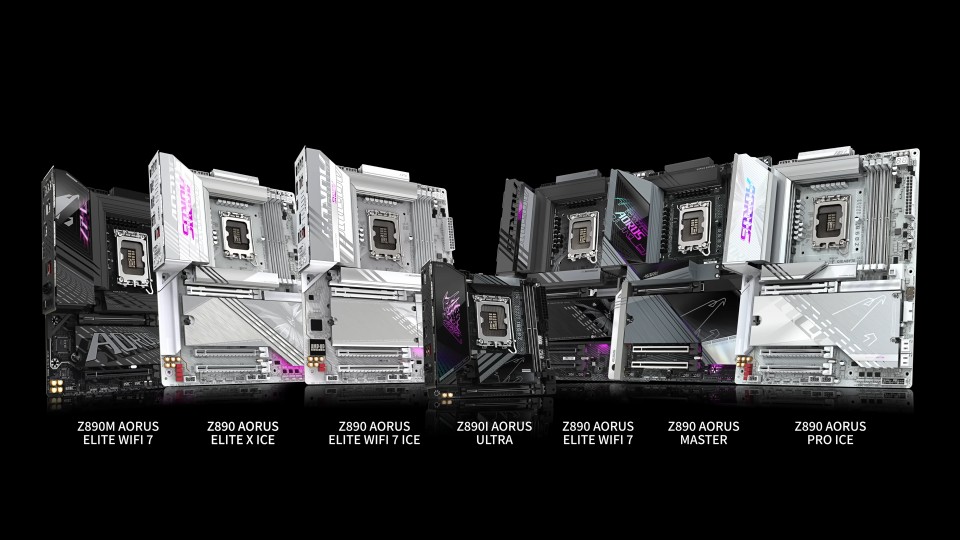
AORUS PRO: Featuring the stunning full-white finish while packing a premium feature set, this model is the ideal choice, hitting the white spot for builders craving a white build that outshines the rest.

Learn more: Z890 AORUS PRO


AORUS ELITE: Reliable, versatile, and DIY-friendly in multiple finishes for builders of all levels who want to start strong, including a sleek Mini-ITX form factor for compact builds.

Learn more: Z890 AORUS ELITE X ICE | Z890 AORUS ELITE WIFI7 ICE | Z890  AORUS ELITE WIFI7 | Z890M AORUS ELITE WIFI7 ICE | Z890M AORUS ELITE WIFI7


Explore beyond AORUS with options like GIGABYTE Z890 GAMING and EAGLE for those seeking abundant gaming features in distinctive style. Meanwhile, creative professionals will appreciate the GIGABYTE AERO for its superior connectivity, ample expansion, and professional aesthetics tailored to prosumer-type workflows.

Learn more: Z890 GAMING X WIFI7 | Z890M GAMING X | Z890 EAGLE WIFI7 | Z890 EAGLE | Z890 AERO G | Z890 AERO D


Your Ultimate Build Starts Here


Your next PC build deserves the best, and the AORUS Z890 delivers. With AI at its core and builder-centric features across the board, the AORUS Z890 helps you get ready to trailblaze through uncharted territories of performance. Explore the GIGABYTE AORUS Z890 motherboards today and unlock a world of infinite possibilities.

Posted on Leave a comment

Unleash memory potential of your AORUS 800 series motherboard: AI overclocking in one click

Unleash memory potential of your AORUS 800 series motherboard: AI overclocking in one click

Building the ultimate PC has always been about pushing boundaries, and with the arrival of CUDIMMs, a new era of memory performance is here. Paired with our AORUS 800 Series motherboards, you now have the perfect foundation for achieving unmatched speed. But what if you could unlock even more power from your memory modules—without diving into complex BIOS settings?


AORUS AI SNATCH: Game-changing Memory Overclocking


Meet AORUS AI SNATCH, a revolutionary AI-driven overclocking technology that takes memory tuning to the next level. This isn’t your typical overclocking tool that tweaks a few parameters. AORUS AI SNATCH uses neural network models trained on thousands of real-world memory configurations to analyze your hardware setup in real-time, delivering custom memory profiles optimized for your system. It’s fast, effective, and eliminates the guesswork of manual tuning.


What Makes It Special?


  • Tailored Overclocking: AORUS AI SNATCH analyzes and tests your memory to create a personalized yet precise overclocking profile, often unlocking speeds up to 20% higher than standard XMP/EXPO configurations. Take native 6400MT/s CUDIMM DDR5 kits, for example—with XMP AI BOOST enabled, you can achieve stable profiles exceeding 8900MT/s* effortlessly.

  • One-Click Simplicity: Forget spending hours tweaking settings in the BIOS. With just one click, AORUS AI SNATCH fine-tunes your DDR5 memory for maximum speed and stability.**

  • Accessibility for Everyone: AORUS AI SNATCH simplifies advanced memory overclocking, making it effective and approachable—whether you’re new to the technical details or just want a hassle-free experience.


How to Activate AORUS AI SNATCH


To get started, you will need:

  • A supported AORUS 800 Series motherboard.

  • DDR5 memory with XMP or EXPO compatibility.

  • GIGABYTE Control Center with the AORUS AI SNATCH module installed.


Once set up, click the AORUS AI SNATCH icon in the Windows environment and let the AI do the heavy lifting. Within seconds, it will automatically analyze your system and recommend optimized settings that you can apply instantly.


For a detailed walkthrough, check out our AORUS 101 episode on this topic.


Boost DDR5 Performance in a Snap


AORUS AI SNATCH is a game-changer for PC builders at every level. If you’re running an AORUS 800 Series motherboard, what are you waiting for? Fire up AORUS AI SNATCH and trailblaze your way to memory speeds with ease you never thought possible.


*The test was conducted on the Z890 AORUS MASTER motherboard using CUDIMM DDR5 memory.

**Test results are provided for reference purposes only and may vary according to individual system specifications and operating conditions.

Posted on Leave a comment

How AORUS Z890 redefines memory performance with AI: D5 Bionic Corsa

How AORUS Z890 redefines memory performance with AI: D5 Bionic Corsa

Generative AI is already part of our daily lives, helping us create art, write code, and more. But its potential goes way beyond chatbots and content creation. With the AORUS Z890 series, AI is shaking things up for PC builders and gamers, making overclocking, stability, and performance easier and better than ever. By weaving AI into every aspect of motherboard design—hardware, software, and firmware—our new D5 Bionic Corsa technology delivers reliability and speed like never before for DDR5 memory.


Let’s break it down and see how we leverage AI to take your PC to the next level.


What is D5 Bionic Corsa?


Think of D5 Bionic Corsa as the next big step in GIGABYTE’s DDR5 tech. Building on the success of the Z790 motherboards, this upgraded version of technology incorporates AI to supercharge memory speeds, simplify overclocking, and boost system stability. It’s like having a personal tech genius fine-tuning your system for peak performance.


Intelligent Craftsmanship with AI-driven PCB Design


Think of the PCB (Printed Circuit Board) as the nervous system of your motherboard, connecting the CPU, memory, and every other component. Optimizing these intricate pathways for speed and reliability is no small feat—but that’s where AI comes in.


AI-Optimized Trace Routing

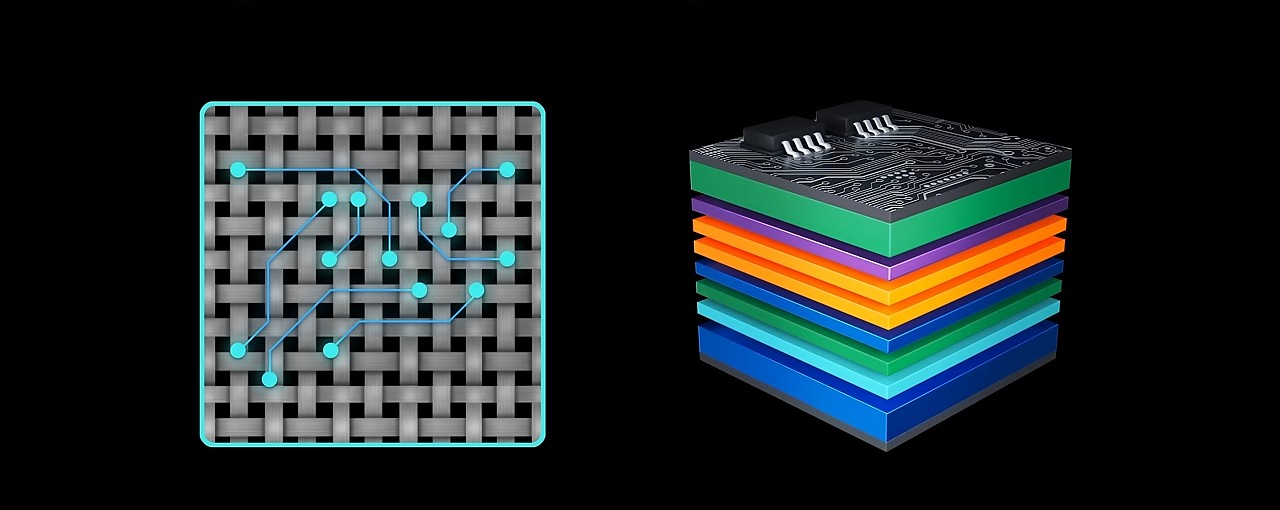
Signals traveling between the CPU and memory modules require carefully designed routes to maintain their strength and integrity. Contrary to intuition, the shortest path isn’t always the best. Enter AI-Trace Optimization, a feature that analyzes signal paths and aligns them with the PCB’s fiberglass weave—a critical factor for signal quality.


By simulating and fine-tuning hundreds of trace paths, the AI creates an optimized signal highway, ensuring seamless communication between your CPU and memory.


Intelligent Layer Design

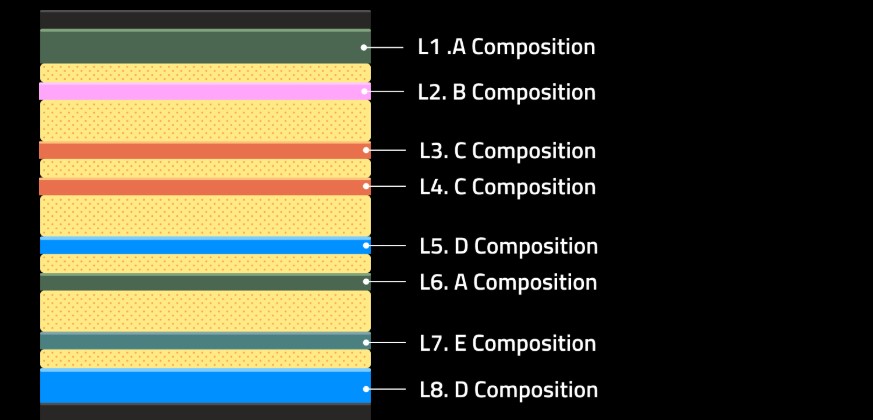
A premium motherboard like the AORUS Z890 consists of up to 12 PCB layers, each with a specific function: power delivery, signal routing, or grounding. Traditionally, engineers manually selected the best materials for each layer. With AI-Layer Optimization, this process is automated and enhanced. 


The AI uses advanced simulations to identify ideal material combinations for every layer, creating a fully optimized PCB. The result? Perfect harmony across all layers, pushing signal performance to new heights.


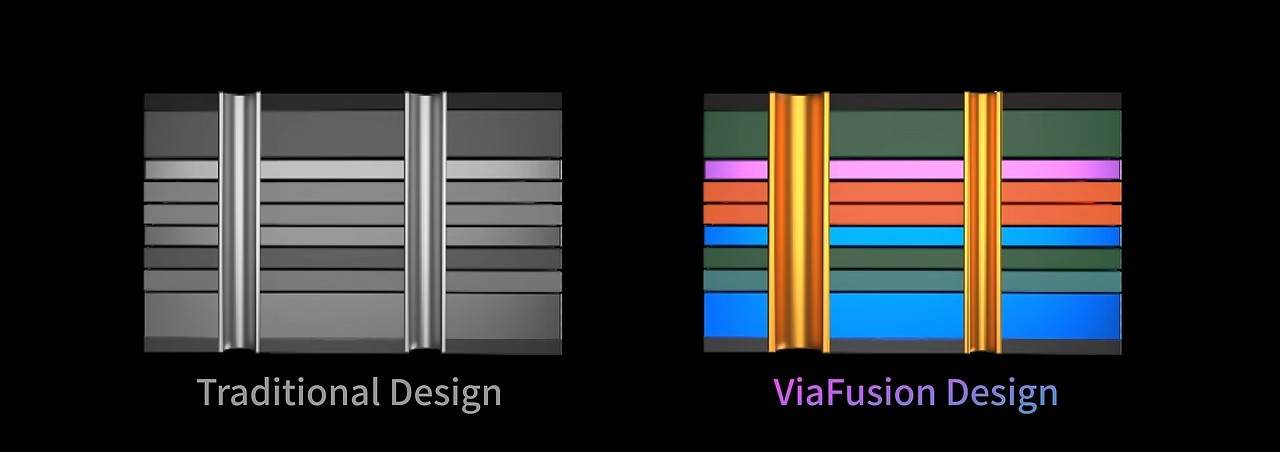
Precision-Engineered VIAs

VIAs are like tiny tunnels connecting the layers of your motherboard. Instead of using one-size-fits-all tunnels, we use AI to customize each one for its job—whether it is for fast data, power, or control. This innovation reduces signal reflection loss by up to an impressive 28%, greatly enhancing both stability and speed.


To ensure exceptional memory performance, the AORUS Z890 also incorporates low-loss PCB materials—typically reserved for high-end server hardware. These materials minimize energy dissipation and ensure unparalleled signal quality. By blending server-grade components with AI-driven innovations, we’re breaking boundaries and setting new standards for DDR5 memory, once again!


Overclocking Made Easy with AORUS AI SNATCH


Now that we’ve covered the hardware, let’s talk about software. For many PC builders, overclocking feels like a daunting science experiment. That’s why we developed AORUS AI SNATCH, powered by our AI SNATCH Engine, to make overclocking effortless yet precise—like a falcon snatching its prey.


With a single click, AORUS AI SNATCH analyzes your hardware in real time and automatically tunes your memory for peak performance. How does it work? Trained on thousands of memory tests and configurations, the AI SNATCH Engine combines real-world data with expert-tuned adjustments to deliver precise, high-performance results. The outcome? Transform native 6400 MT/s CUDIMM memory into an 8933 MT/s overclocked profile instantly.


HyperTuneBIOS: Smarter, Faster Firmware


With hardware and software covered, there’s one critical component left: BIOS, the bridge where hardware and software meet. The GIGABYTE Z890 introduces HyperTuneBIOS, which uses AI to optimize the Memory Reference Code (MRC) for seamless synchronization between the two.


In the past, MRC tuning required painstaking manual adjustments by R&D teams. With HyperTune BIOS, AI identifies the best parameter combinations for your specific motherboard configuration. Engineers then fine-tune these AI-generated settings to achieve maximum performance. This blend of AI precision and GIGABYTE expertise ensures faster and more stable memory performance.


The Winning Trifecta


With D5 Bionic Corsa, the AORUS MASTER shattered the DDR5 speed limit, hitting an incredible 9500+ MT/s with zero errors. Impressive, right? The AORUS Z890 motherboards show that AI isn’t just hype—it’s a game-changing force that’s redefining PC hardware. From intelligent design to effortless overclocking, it’s your key to unlocking peak performance. Explore our lineup today and step into the future of AI-powered innovation!

Posted on Leave a comment

How AORUS 800 series motherboards make your PC build a breeze with these friendly features

How AORUS 800 series motherboards make your PC build a breeze with these friendly features

Building your own PC is a rewarding experience, but even seasoned enthusiasts know the process can sometimes be frustrating. From fiddly Wi-Fi antenna connections to troubleshooting annoying issues, the journey to your dream rig can be challenging.


Check out our AORUS 800 series motherboards, designed to make DIY PC building easier, smarter, and more accessible than ever before. Let’s explore the new DIY-friendly features that make these motherboards perfect for builders of all skill levels.


Wi-Fi EZ-Plug: Streamlined Connectivity


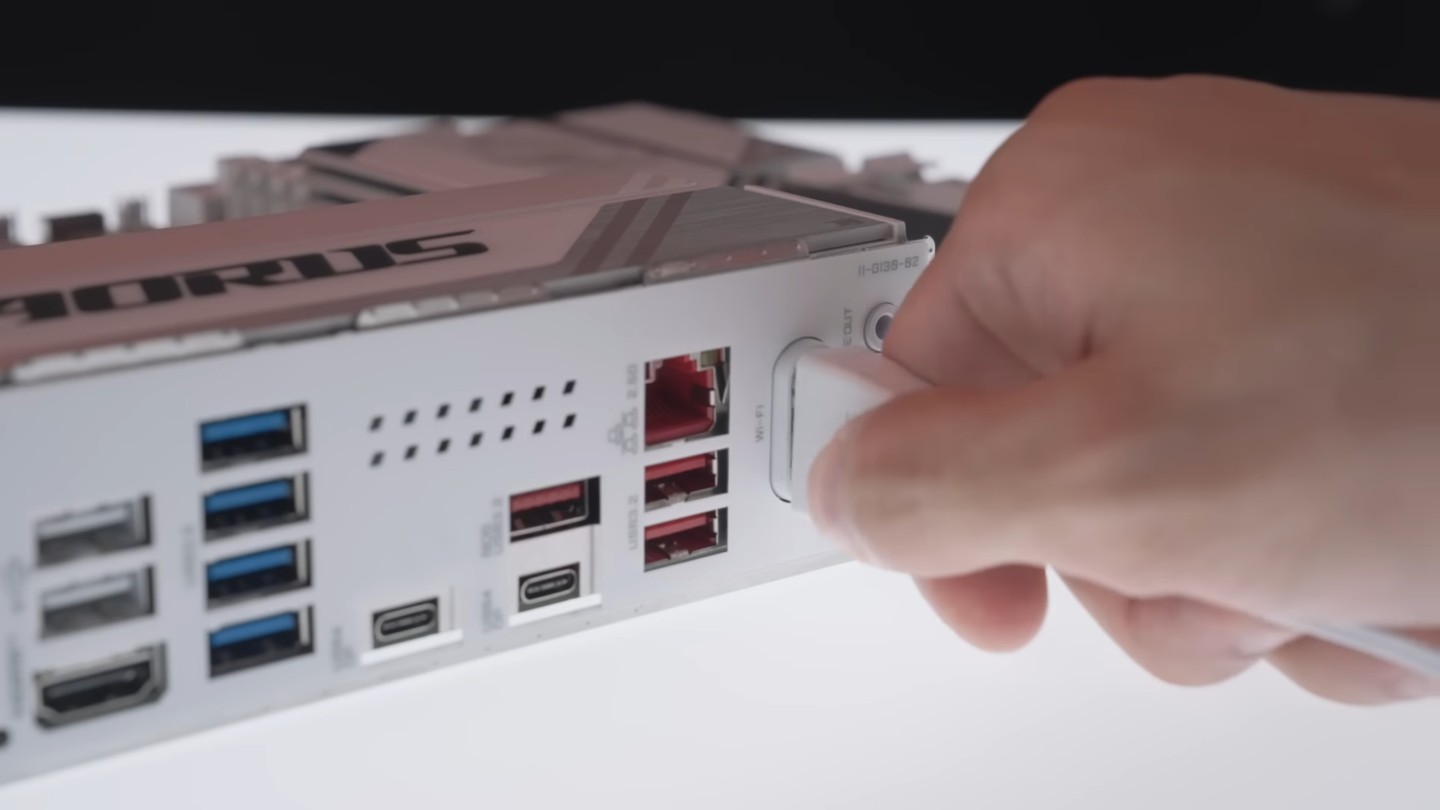
Gone are the days of struggling with tiny Wi-Fi antenna connectors. The WIFI EZ-Plug transforms these connectors into a single, easy-to-install adapter. Simply click it in and enjoy a seamless connection without any fuss. 


The best part? This feature is available on all AORUS models.


EZ-Debug Zone: Troubleshooting Made Simple


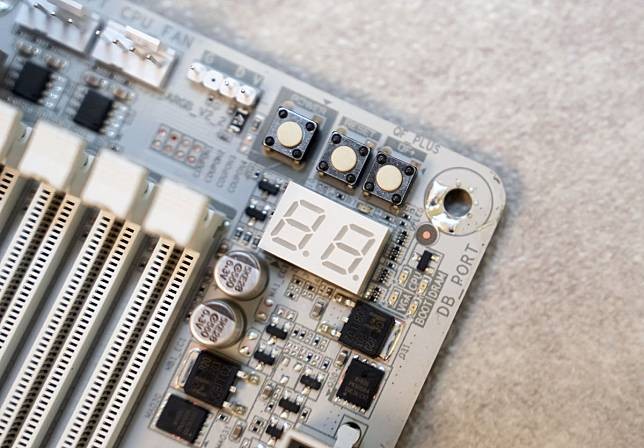
We all love the challenge of building our own PCs, but let’s face it—troubleshooting can be a bit of a headache. That’s where the EZ-Debug Zone steps in. It features key diagnostics like the POST code and Debug LED, along with onboard buttons, all centralized into a single hub for a more efficient and refined troubleshooting experience.


Another standout feature is the Optimal DRAM Installation Indicator LED. This is an extremely handy feature if you are new to PC DIY. The LED lights up when a memory module is installed in a non-recommended slot, ensuring optimal performance right from the get-go.


Hassle-free Assembly: Building Bliss


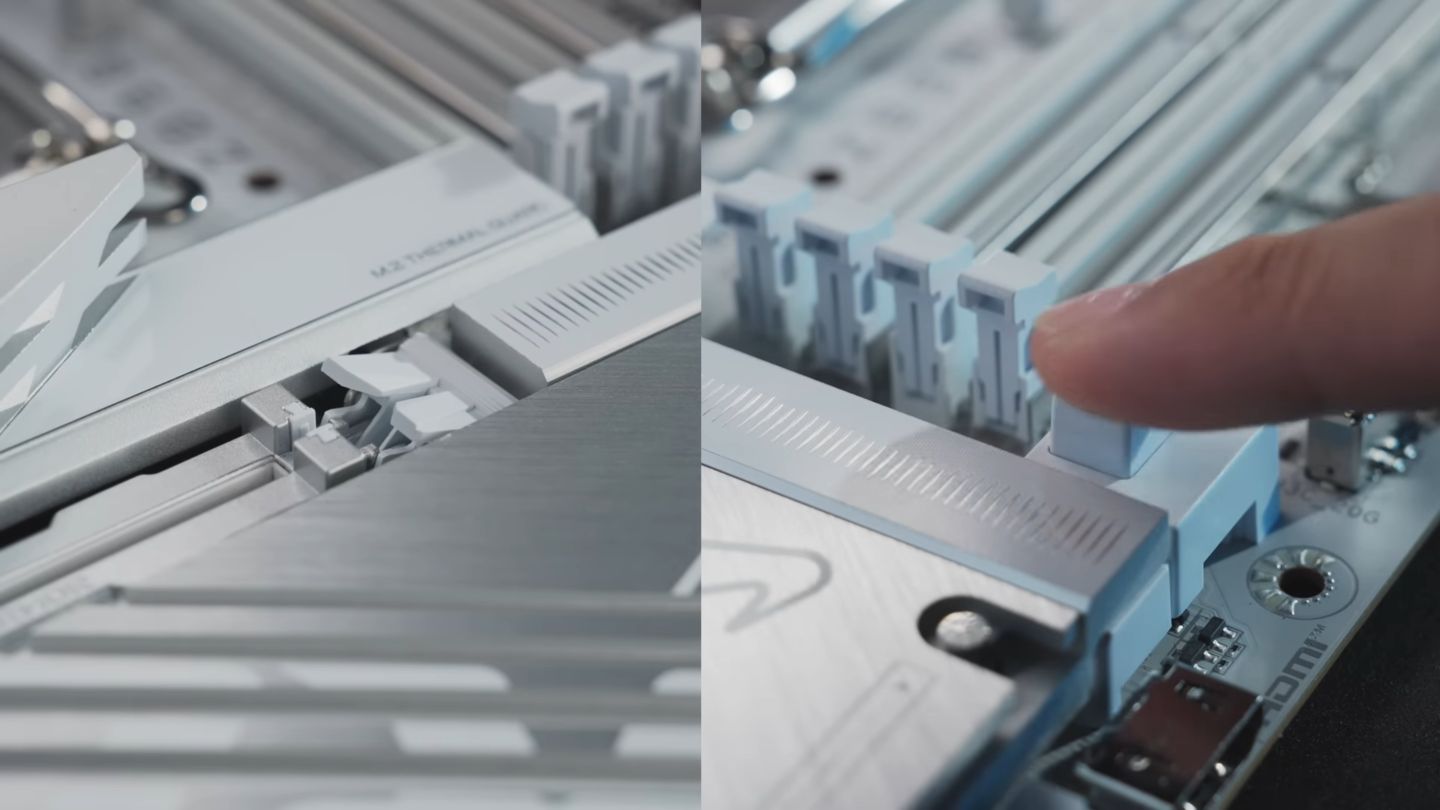
GIGABYTE’s iconic EZ-Latch continues to evolve with new upgrades, making PC building easier than ever. All AORUS motherboards now include a full suite of DIY-friendly innovations, such as M.2 EZ-Latch Click, M.2 EZ-Latch Plus, and PCIe EZ-Latch Plus, simplifying your build process and ensuring swift, hassle-free installation.


Say goodbye to awkward angles and stuck fingers when installing or upgrading your graphics card. The PCIe EZ-Latch Plus ensures a screwless, frustration-free process—just press a button to release your hefty graphics card with ease.


The process for installing an M.2 SSD or its heatsink is just as EZ. With M.2 EZ-Latch Click and M.2 EZ-Latch Plus, you can complete the installation without any tools. Plus, the AORUS X870E MASTER introduces a unique M.2 EZ-Match magnetic attachment system, making heatsink reattachment easy and improving overall system maintenance.
 

Sensor Panel Link: Clean and Convenient


If you are a fan of adding a sensor panel to your build to display hardware stats (or more!), you’ll love the Sensor Panel Link. This onboard video port eliminates the need for external cables, keeping your setup tidy and simplifying installation.


Easy PC DIY, Made EZer


GIGABYTE AORUS 800 series motherboards are a testament to how thoughtful design can enhance the DIY building experience. By addressing common pain points, these motherboards empower users to build confidently and enjoyably. Whether you’re a first-time builder or a seasoned veteran, the AORUS 800 series takes the complexity out of the equation.


Transform your DIY PC experience today—explore our range of AORUS 800 series motherboards and start building with ease!

Posted on Leave a comment

5 GIGABYTE UC BIOS new features you may not know (but will love)

5 GIGABYTE UC BIOS new features you may not know (but will love)

Since its debut with the 600 and 700-series motherboards, GIGABYTE User-centered BIOS (UC BIOS) has been well-received for its sleek interface and user-friendly design. But did you know it’s evolved even further? With the release of the 800-series motherboards, UC BIOS introduces a host of powerful new features that not only enhance performance but also redefine the BIOS tweaking experience. Here are 5 features you might have missed—and will absolutely love.


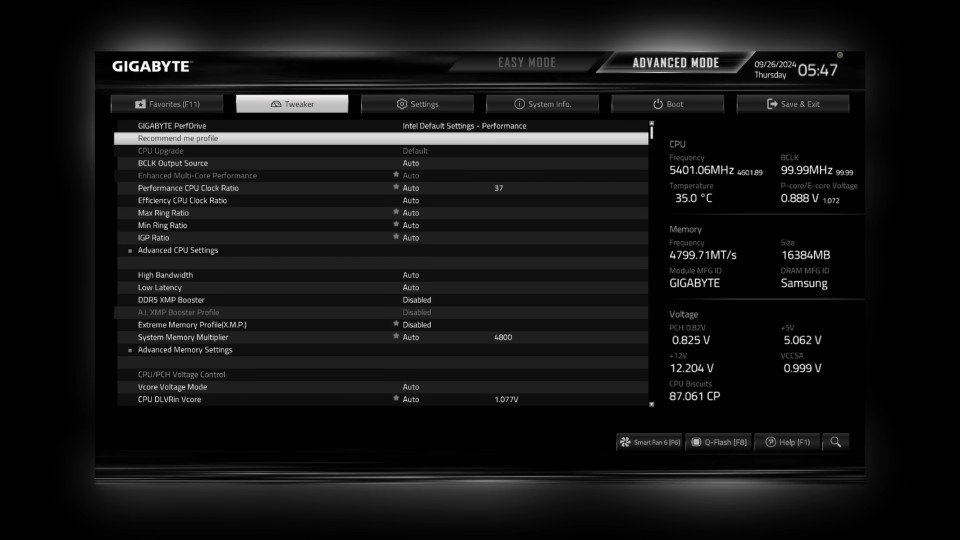
1) Smarter Settings with AI PerfDrive


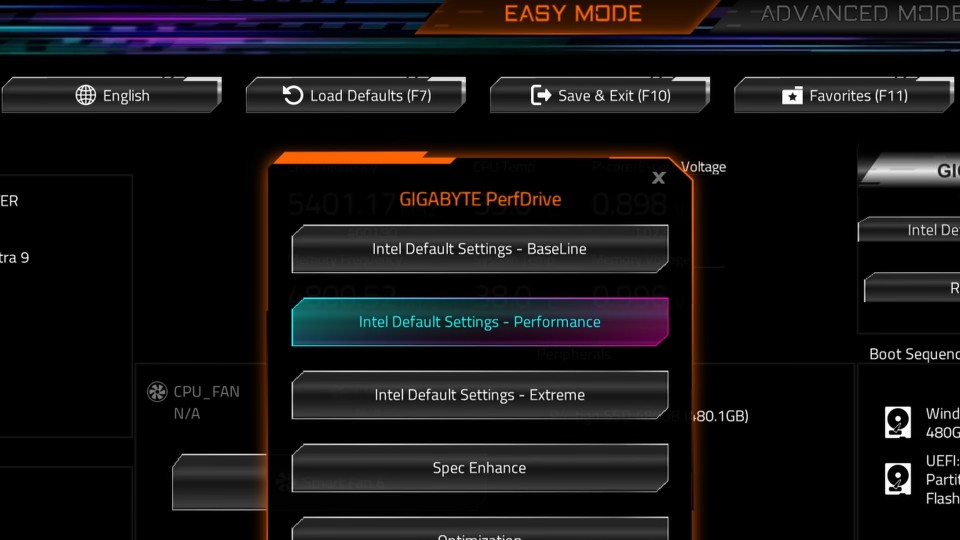
Remember GIGABYTE PerfDrive from the 700 series? It’s been reimagined as AI PerfDrive, a smarter tool that uses intelligent evaluation to recommend the optimal configuration for your system based on its actual thermal performance.


AI PerfDrive analyzes system temperature performance to recommend optimal usage profiles for improved efficiency.


Available on GIGABYTE Z890 series motherboards, AI PerfDrive now includes Intel Default Settings and creates custom profiles tailored to your setup. The standout addition? The “Recommend Me Profile” tool integrates directly into the BIOS. It analyzes your system and suggests the best preset for your configuration. It’s like having a tuning expert built right into your motherboard.


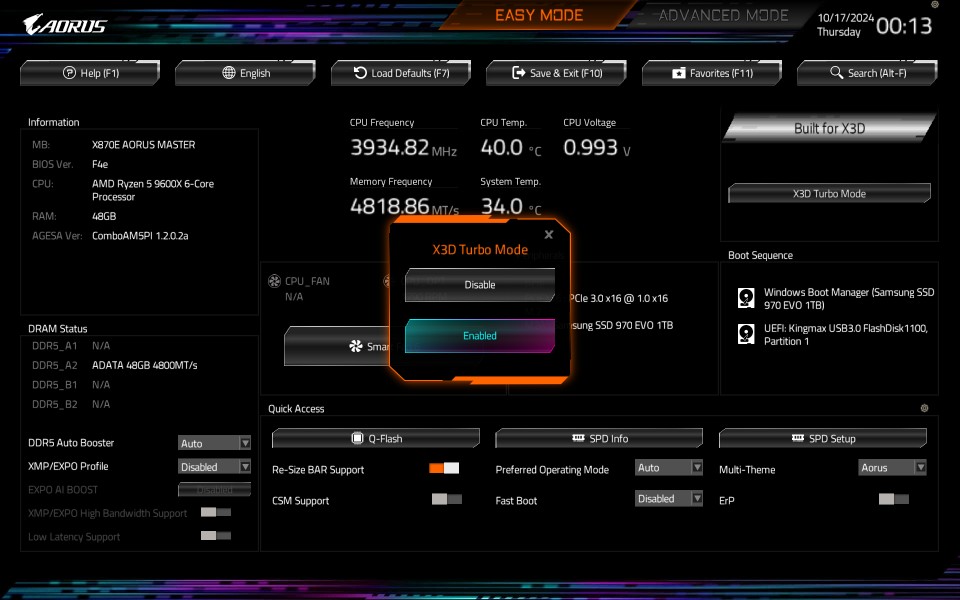
2) More Power Boost with Active OC Tuner & X3D Turbo Mode


Exclusive to GIGABYTE X870E/X870 motherboards, Active OC Tuner dynamically switches between AMD P.B.O. (Precision Boost Overdrive) and Manual OC modes depending on your workload. This ensures maximum performance, delivering up to a 7% boost. For gaming or light tasks, it utilizes AMD P.B.O. to achieve the highest CPU boost clocks. For heavy workloads, it transitions seamlessly to Manual OC mode for full-core performance.


GIGABYTE X3D Turbo Mode boosts Ryzen 9000X3D gaming performance by up to 35% and Ryzen 9000 by up to 20%
 

Are you currently rocking a Ryzen X3D CPU? Get ready for next-level performance with X3D Turbo Mode. Built into X870E/X870 motherboards, this feature optimizes core distribution, bandwidth, and power balancing, delivering up to an 18% performance gain for Ryzen™ 9000 series processors. Whether you’re gaming, this feature will definitely get you ahead of the curve.


3) A Personalized Look with Multi-Theme BIOS


Who says the BIOS interface has to be boring? With the new Multi-Theme Design, you can personalize your BIOS interface to match your aesthetic. Choose from themes like AORUS, AORUS Bright, or the modern and minimalist GrayScale mode.


UC BIOS new grayscale mode provides a clean, distraction-free layout for focused BIOS tuning sessions.
 

The GrayScale mode isn’t just about looks—it’s designed for functionality, offering a clean and distraction-free layout that’s perfect for serious BIOS tuning sessions. This feature brings both style and substance to your BIOS experience.


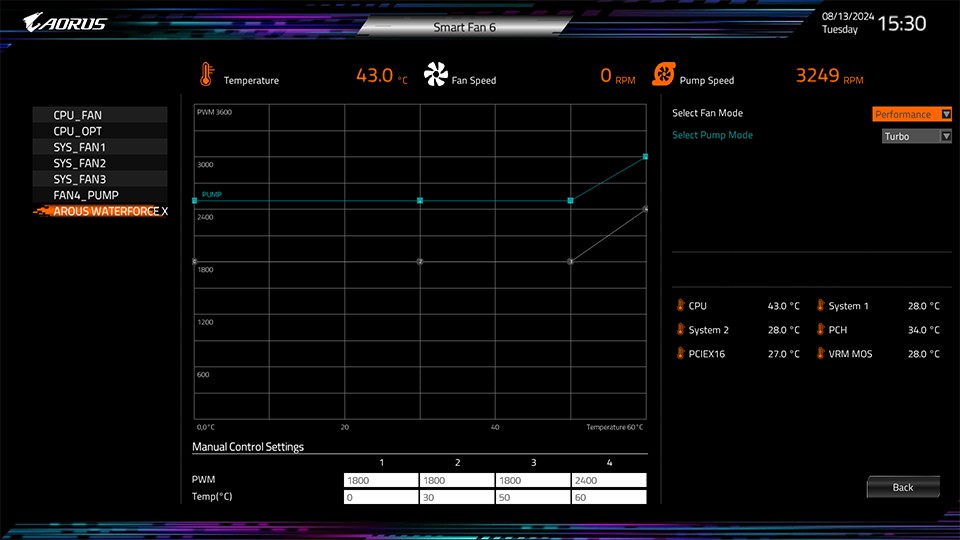
4) Easier Cooling Management with AIO Fan Control


Managing your AORUS AIO CPU cooler’s fan speeds just got a whole lot simpler! The new AIO Fan Control function in UC BIOS lets you adjust fan settings directly from the BIOS, a perfect feature designed for non-Windows users.


AIO Fan Control enables adjustment of AIO fan speeds directly in UC BIOS, ideal for non-Windows users
 

Designed for the AORUS WATERFORCE X II series AIOs, it’s a must-have for anyone putting together an all-AORUS build. Whether you’re going for whisper-quiet operation or chasing peak cooling performance, AIO Fan Control makes fine-tuning your AIO effortless.


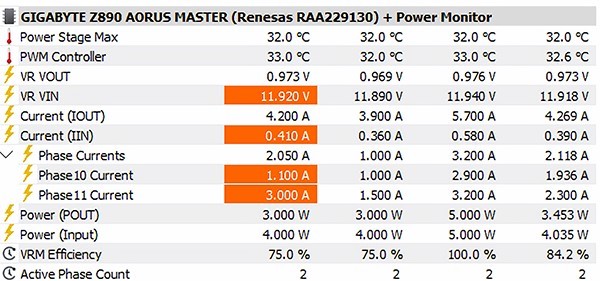
5) Get Deeper Insights with HWiNFO Integration


Our partnership with HWiNFO has reached new heights this time around, bringing advanced monitoring features right to your fingertips. The new Power Monitor* provides real-time insights into CPU Vcore power phase outputs and efficiency, allowing you to closely monitor and optimize your system to ensure the long-term health of your hardware.


Exclusive HWiNFO partnership features Power Monitor for real-time CPU Vcore power phase output and efficiency tracking.


With instant access to comprehensive BIOS details—like toggle statuses and version numbers—you no longer need to reboot your system for critical information. This seamless integration gives you unparalleled control and visibility into your system’s performance.


*This feature is available only on GIGABYTE AMD and Intel 800 series motherboards with Intersil, Onsemi, and Infineon power controllers. Check the User Manual for details.


Explore UC BIOS Today


With each generation, GIGABYTE UC BIOS continues to push boundaries, offering innovative features for both performance enthusiasts and everyday users. Dive into your UC BIOS today and unlock your system’s full potential. The power to optimize and elevate your PC experience is just a few clicks away!